From your folders to a smart system. We do the moving.
Send us what you have — folders, designs, barcodes, a shop export, an SAP list. We build your structure, connect your designs and content, and hand you a working system in 48 hours. Free with any paid plan.
How it works.
Step 1: Sign up.
Two minutes, free.No card, every feature, one label.
Step 2: Pick the plan that fits your product line.
We count product labels — the label on the shelf. Its design, its files, its versions all count as one.
Step 3: Give us access
to your files.A folder link, a shared drive, an export — whatever you have, wherever it is.
Step 4: Your manager takes it from here.
We build, we ask if something’s unclear, we tell you when it’s done.
What we need.
Less than you think.
the two that matter
Your design files (.ai), with fonts and linked images.
Everything comes out of these — text, barcodes, QR codes, layout. Latest state you have.
Your latest printed PDFs.
The file the printer got. Together with the designs, we check they agree.


Those two, and the rest is ours.
 Those two, and the rest is ours.
No design files, only PDFs? On the Business plan we rebuild them — one clean Illustrator file per label, connected to the system. Learn more →
everything else helps
Older versions.
Kept as history.
Barcode files, content spreadsheets, shop or ERP exports.
Used to build products, SKUs, and to cross-check.
Briefs, specs, approvals, printer correspondence.
Stored next to the labels they belong to.
Anything you don’t know what to do with.
Send it. It lives in your workspace, found by search.


Nothing to prepare on your side. The more you send, the more we can check — and fix.
Not just moved in. Fixed.
Migration is also an audit. Everything you send gets cross-checked against everything else — and where it disagrees, we don’t just flag it. We fix it in the system, in a few clicks, before you log in.
Design is behind the print.
The PDF went to the printer with a fix the design file never got. → We bring the design up to date, so the next change starts from what’s actually on the shelf.
Text doesn’t match.
The PDF says one thing, the design says another, the spreadsheet a third. → We set the right content, push the update, and every label that carries it is corrected.
Barcode is wrong.
Number on the label doesn’t match the SKU, or the bars won’t scan. → We connect the real GS1 file and check it against the standard.
QR code is dead or static.
Printed code points at an old page, or can’t be changed. → We swap it for a dynamic one — same size, same place, re-pointable forever.
Three files called final.
Nobody knows which one printed. → We find the latest, mark it live, and build the history from the rest.
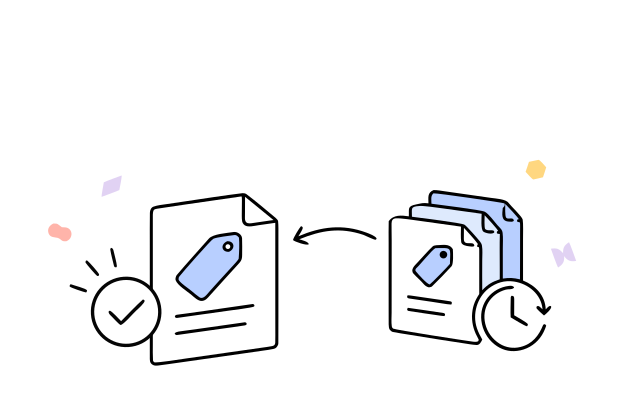
You start with clean files. 48 hours. Free with any paid plan.
Start for free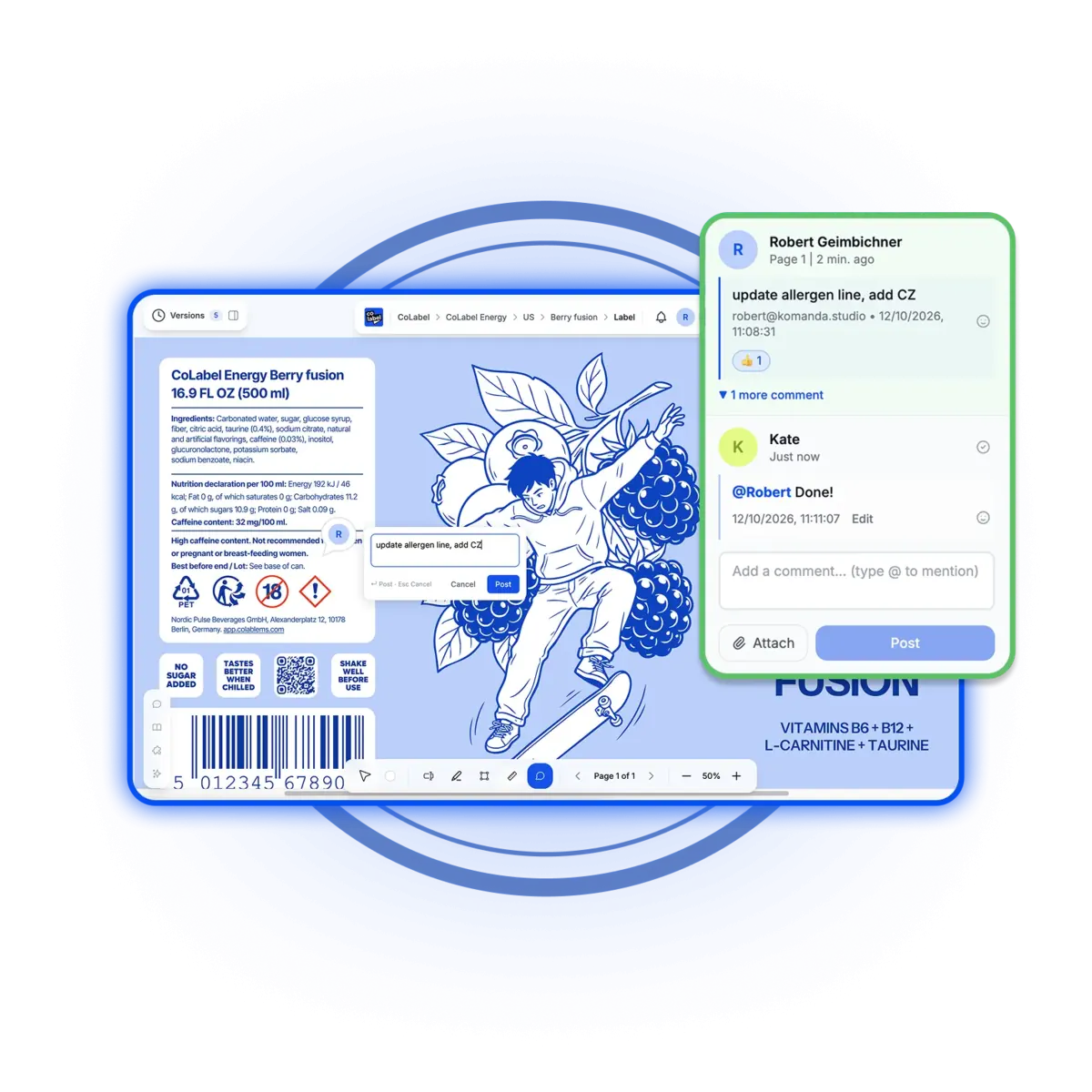
Moved in by us. Kept right by a real designer.
No design files, only PDFs? On Business, your designer rebuilds them during migration — one clean Illustrator file per label, connected to the system.
After that, every change to a label you already have — text, icons, languages, barcodes, new SKU — is theirs. Unlimited, within 12 working hours.
Not an AI. A professional label and print designer, inside your workspace. Free from the Business plan up.
Your labels, the way they’ll be organised.
A label is only ever about a product. So that’s the top — and everything hangs under it, linked, versioned, and findable.
Work, collaborate and automate on accurate files from your first week.
Trusted by teams who print.


'%3e%3cpath%20id='Vector'%20d='M0%2014.3886H6.73782V40.9652C6.73782%2041.9132%207.47898%2042.658%208.42228%2042.658C9.36557%2042.658%2010.1067%2041.9132%2010.1067%2040.9652V6.94039H2.69513V0.846389H16.8446V40.2881C16.8446%2044.9602%2014.4189%2048.752%208.42228%2048.752C2.42562%2048.752%200%2044.9602%200%2040.2881V14.3886Z'%20fill='black'/%3e%3cpath%20id='Vector_2'%20d='M112.239%200C106.127%200%20103.655%203.85276%20103.655%208.60269V48.3085H110.524V33.8285H113.957V48.3085H120.826V8.60269C120.826%203.85276%20118.353%200%20112.239%200ZM110.524%2027.0574V7.91204C110.524%206.95054%20111.278%206.19218%20112.239%206.19218C113.199%206.19218%20113.957%206.95054%20113.957%207.91204V27.0574H110.524Z'%20fill='black'/%3e%3cpath%20id='Vector_3'%20d='M19.5397%2044.0122V0.846389H26.2775V41.2022C26.2775%2042.1502%2027.0187%2042.895%2027.962%2042.895C28.9053%2042.895%2029.6464%2042.1502%2029.6464%2041.2022V0.846389H36.3842V48.3119H29.6464V43.9784H28.9726V44.0122C28.9726%2046.6529%2027.4903%2048.752%2024.2562%2048.752C21.022%2048.752%2019.5397%2046.6529%2019.5397%2044.0122Z'%20fill='black'/%3e%3cg%20id='Group'%3e%3cpath%20id='Vector_4'%20d='M38.8873%2012.574H45.6252V48.3119H38.8873V12.574Z'%20fill='black'/%3e%3cpath%20id='Vector_5'%20d='M42.2562%207.40421C44.1168%207.40421%2045.6252%205.88844%2045.6252%204.01865C45.6252%202.14886%2044.1168%200.633099%2042.2562%200.633099C40.3956%200.633099%2038.8873%202.14886%2038.8873%204.01865C38.8873%205.88844%2040.3956%207.40421%2042.2562%207.40421Z'%20fill='black'/%3e%3c/g%3e%3cpath%20id='Vector_6'%20d='M159.663%200.846389H143.189V7.16045H148.286V48.3085H154.566V7.16045H159.663V0.846389Z'%20fill='black'/%3e%3cpath%20id='Vector_7'%20d='M58.427%200.846389H65.1648V29.1158H58.427V7.65135C58.427%207.10967%2058.1575%206.56798%2057.7532%206.29713C57.4837%206.094%2057.1468%205.95858%2056.7426%205.95858C55.7993%205.95858%2055.0581%206.7034%2055.0581%207.65135V40.9652C55.0581%2041.9132%2055.7993%2042.658%2056.7426%2042.658C57.6859%2042.658%2058.427%2041.9132%2058.427%2040.9652V33.517H65.1648V40.2881C65.1648%2044.9602%2062.7392%2048.752%2056.7426%2048.752C50.7459%2048.752%2048.3203%2044.9602%2048.3203%2040.2881V4.73978C48.3203%202.09904%2049.7352%200%2053.0368%200C56.3383%200%2057.7532%202.09904%2057.7532%204.8752H58.427V0.846389Z'%20fill='black'/%3e%3cpath%20id='Vector_8'%20d='M140.164%200.846389V26.5326H133.409V7.63443C133.409%207.09274%20133.139%206.55105%20132.735%206.2802C132.466%206.07707%20132.125%205.94165%20131.721%205.94165C130.774%205.94165%20130.033%206.68647%20130.033%207.63443V21.996C130.033%2026.9422%20140.908%2031.5466%20140.908%2040.4878C140.908%2044.8247%20138.341%2048.752%20132.058%2048.752C125.775%2048.752%20123.275%2044.8214%20123.275%2039.9462V33.5102H130.03V40.6233C130.03%2041.7744%20130.909%2042.6546%20132.058%2042.6546C133.207%2042.6546%20134.083%2041.7744%20134.083%2040.6233C134.083%2032.6977%20123.275%2031.0049%20123.275%2021.996V4.74316C123.275%202.09904%20124.693%200%20128.005%200C131.317%200%20132.735%202.09904%20132.735%204.87858H133.409V0.846389H140.164Z'%20fill='black'/%3e%3cpath%20id='Vector_9'%20d='M101.178%200.846389V24.3151H94.4407V7.65135C94.4407%207.10967%2094.1712%206.56798%2093.7669%206.29713C93.4974%206.094%2093.1605%205.95858%2092.7562%205.95858C91.8129%205.95858%2091.0718%206.7034%2091.0718%207.65135V27.0574H94.3362V33.8285H91.0718V48.3085H84.3339V4.73978C84.3339%202.09904%2085.7489%200%2089.0504%200C92.3519%200%2093.7669%202.09904%2093.7669%204.8752H94.4407V0.846389H101.178Z'%20fill='black'/%3e%3cpath%20id='Vector_10'%20d='M74.2272%207.40082V27.0574H78.5327V33.8285H74.2272V42.8273H81.6388V48.3085H67.4894V0.846389H81.6388V7.40082H74.2272Z'%20fill='black'/%3e%3c/g%3e%3cdefs%3e%3cclipPath%20id='clip0_0_38'%3e%3crect%20width='159.663'%20height='48.752'%20fill='white'/%3e%3c/clipPath%3e%3c/defs%3e%3c/svg%3e)




“Migrating to CoLabel was surprisingly easy. We shared a Google Drive link and had a fully set-up account two days later. Along the way, CoLabel caught inconsistencies in our designs and labels we’d never spotted. Everything looks great so far, and we’re eager to use it more.”
 — DanielCEO, Frank
“We’re moving more of our marketing work to AI, and CoLabel is the first tool that lets an agent actually work with our print files. I ask it to change a line across every juice label and tell the designer — it’s done, with the same versions and approvals as if I’d clicked it myself.”
 — DavidCEO, Juicefast
“I’ve worked on label development projects for more than 15 years, and CoLabel is the first tool I’ve found that truly bridges the gap between designers and clients. It makes reviewing, commenting, and approving labels easy and efficient, and I’m really satisfied with it.”
 — ThuyBrand Manager, Thor
Frequently asked questions
Yes. With any paid plan.
Normally, yes — two working days is what it takes. If something’s missing or unclear, it can run longer, and you’ll hear from us before it does.
Designers are always welcome. But for the move we need files, not people — who sends them is up to you.
From day one. We build alongside.
That’s the normal case. The more there is, the more we can check.
Send what you have — PDFs, CorelDraw, InDesign, scans. On Business and Enterprise we rebuild them as proper design files, free. How the designer works
EU servers, encrypted, our staff only, DPA on request. Security and Enterprise details
You, your own designer, or ours. From the Business plan a real designer is included — comment on the label, tag them, done within 12 working hours. How the designer works
New tools start empty.
This one starts finished.
Zero effort to move in. Every file checked on the way. Done in 48 hours, on us.
- Encrypted, backed up daily
- Your files stay in the EU
- No credit card needed
- GDPR compliant
 Encrypted, backed up daily
 Your files stay in the EU
 No credit card needed
 GDPR compliant