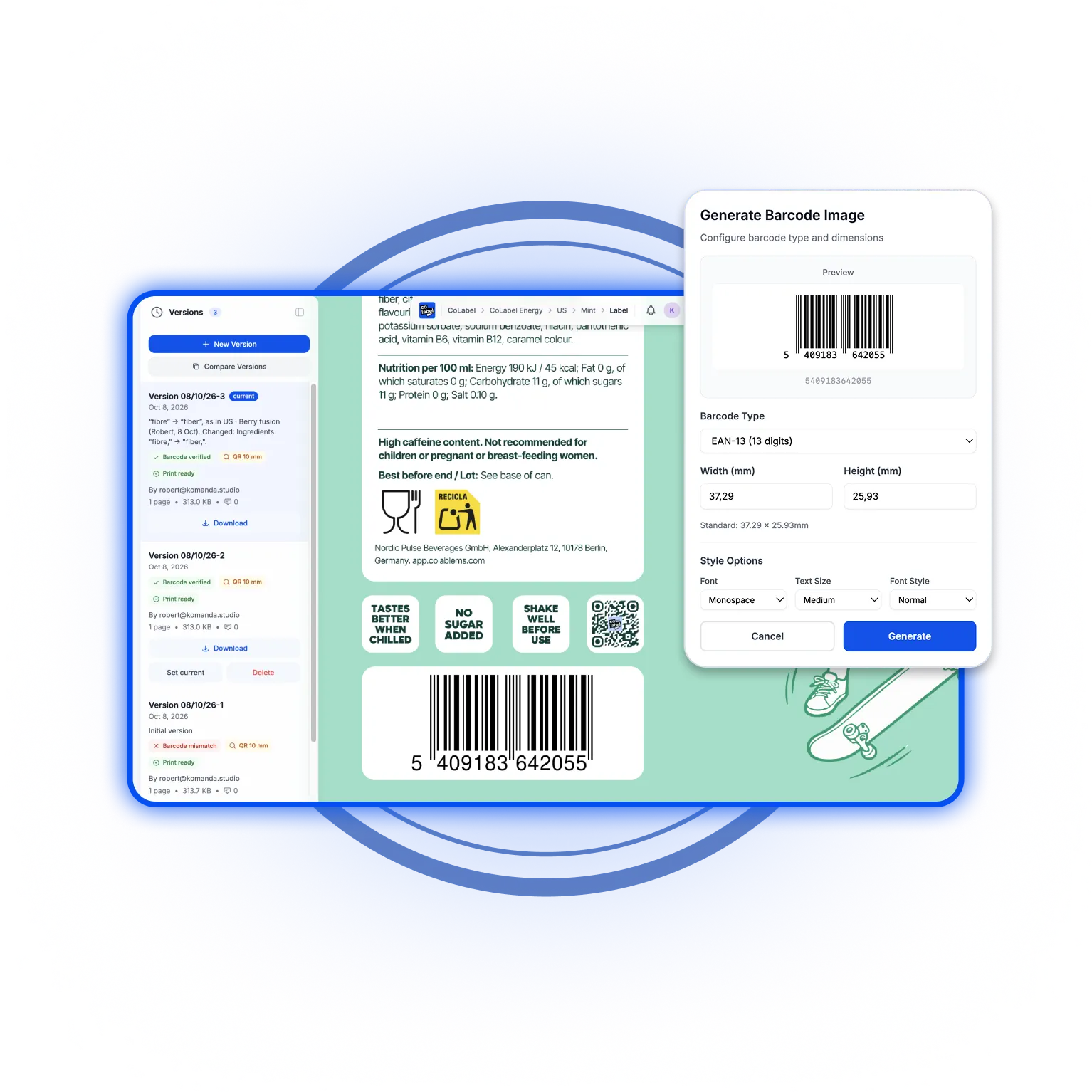
Barcode management software for product labels.
Generate barcodes, upload the ones you have, verify they scan, and track every code on every SKU — embedded in the artwork, checked on every save.
What barcode management fixes.
The barcode was redrawn and nobody noticed.
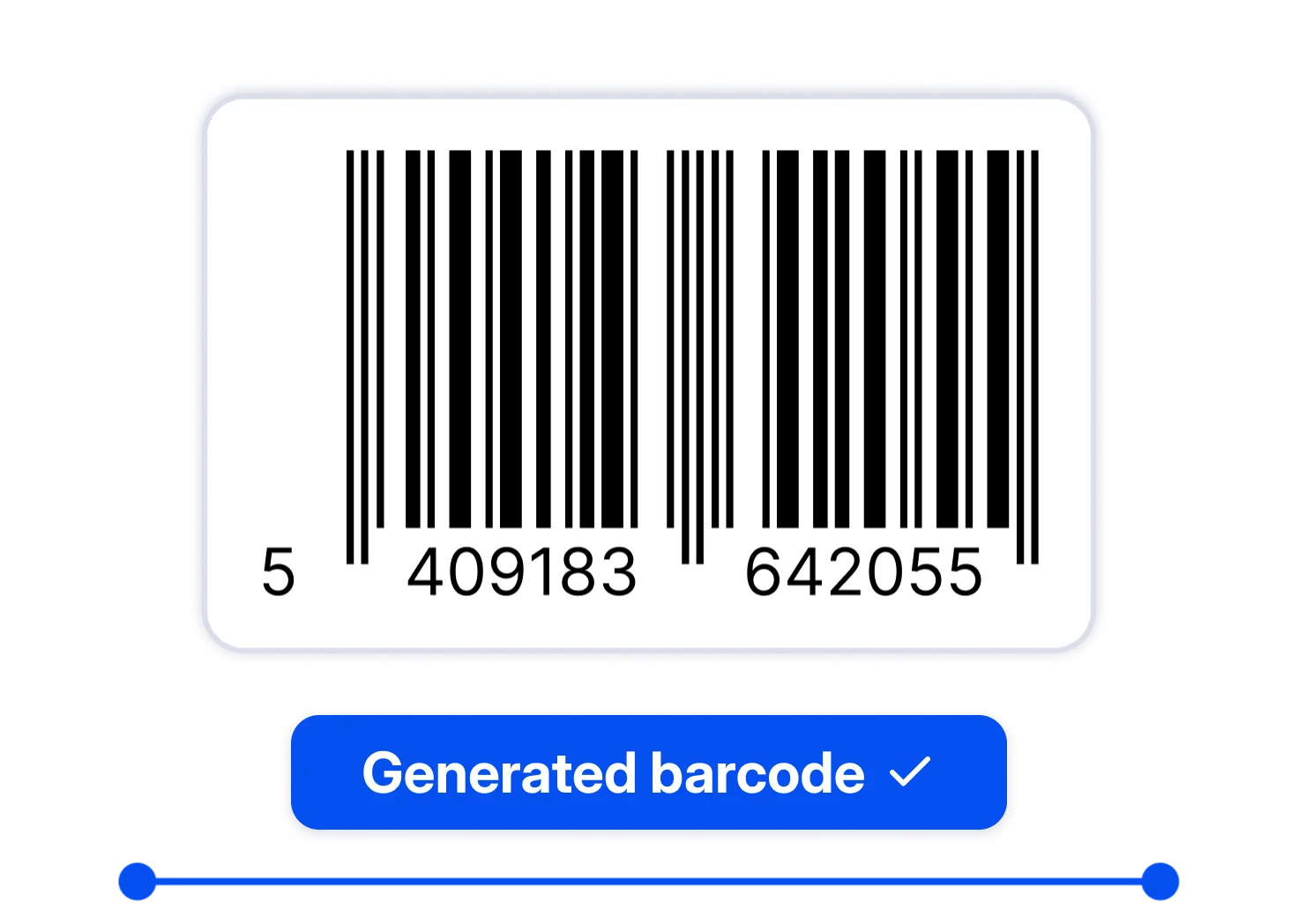
Your file placed as is, or ours generated to spec. Never a redraw.
Will it scan?
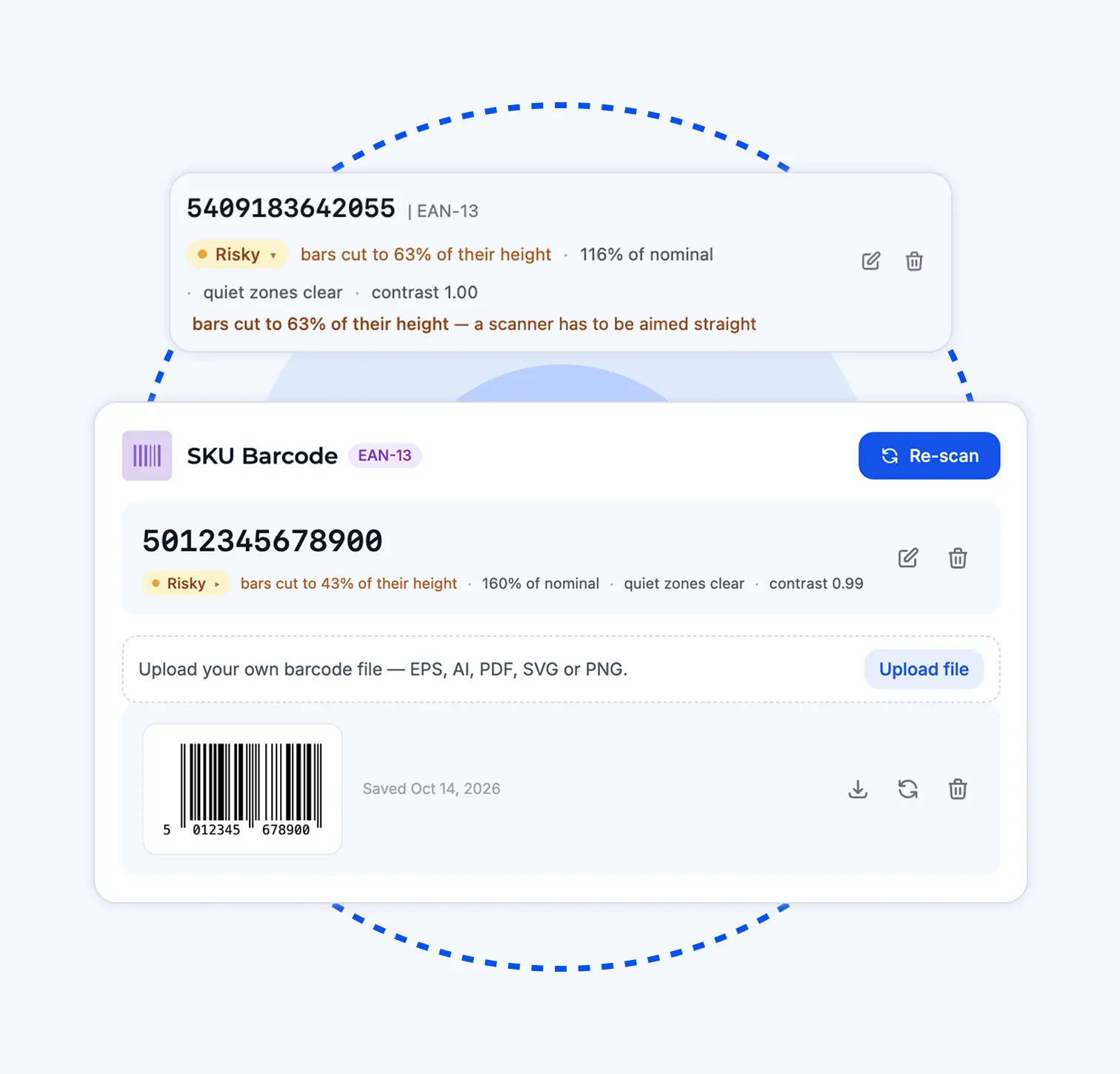
Every saved label measured against GS1: magnification, bar height, quiet zones, contrast. Good or Risky, with the reason.
Which number is on which label?
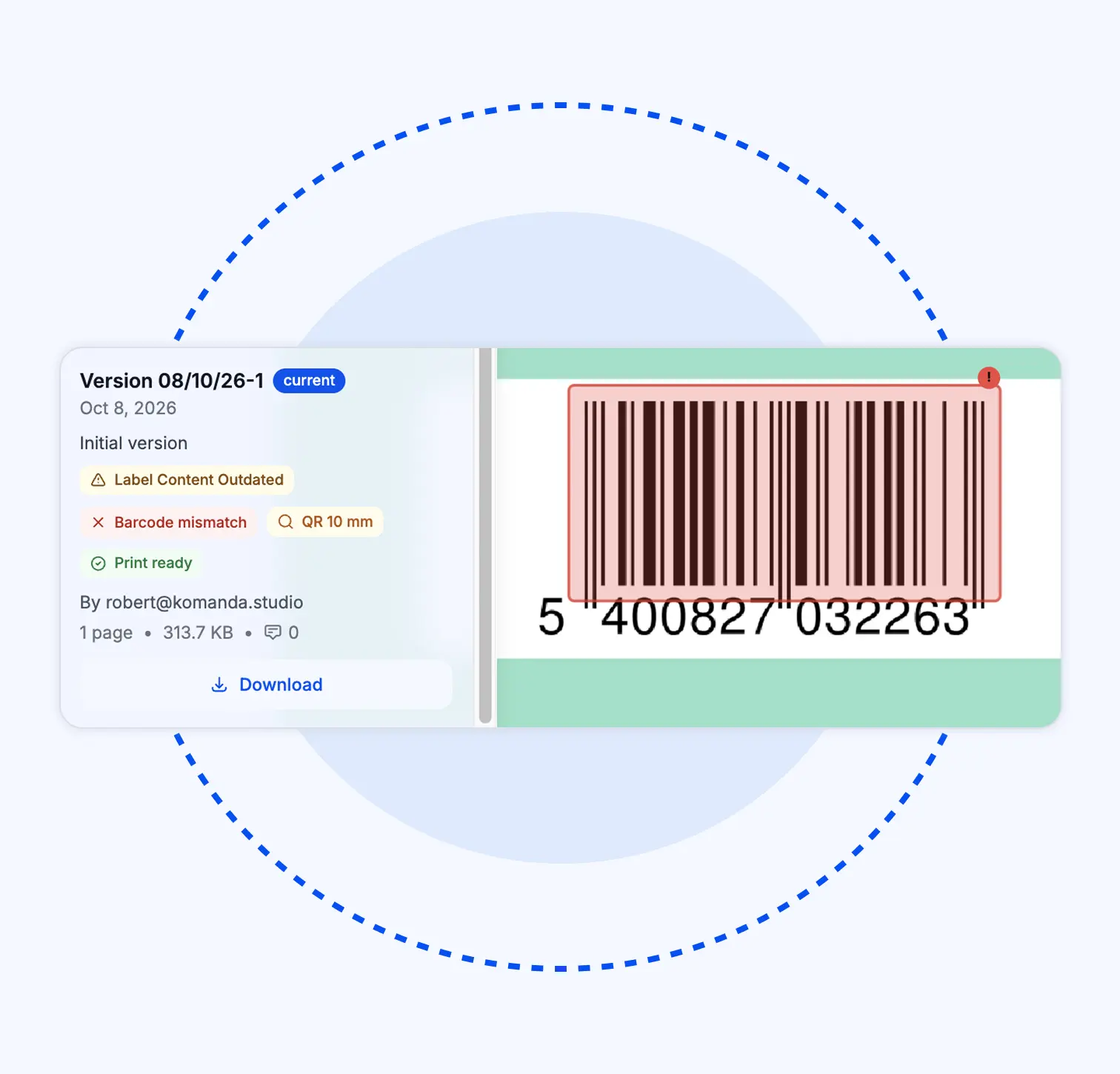
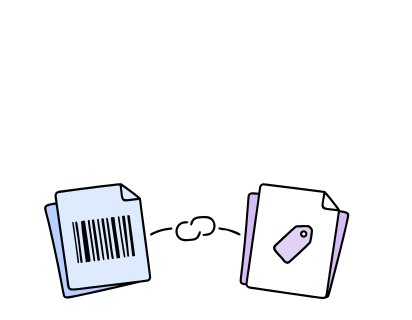
One barcode per SKU, tracked. The artwork is checked against it on every upload.
Two hundred SKUs, two hundred barcodes, by hand.
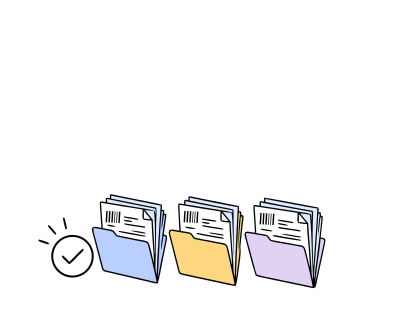
Upload the list. Every SKU gets its code in one pass.
Generate, verify, store, track.
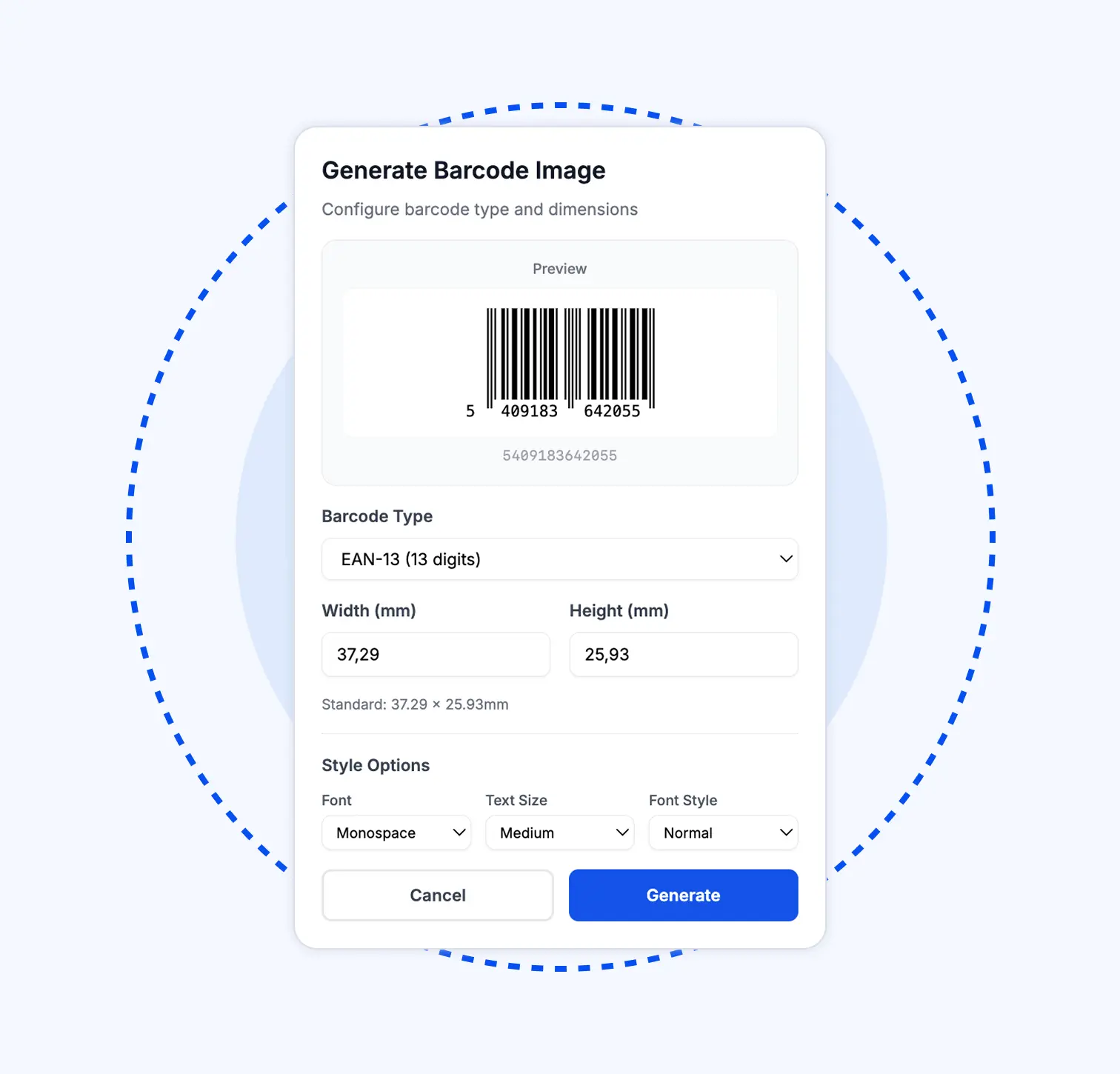
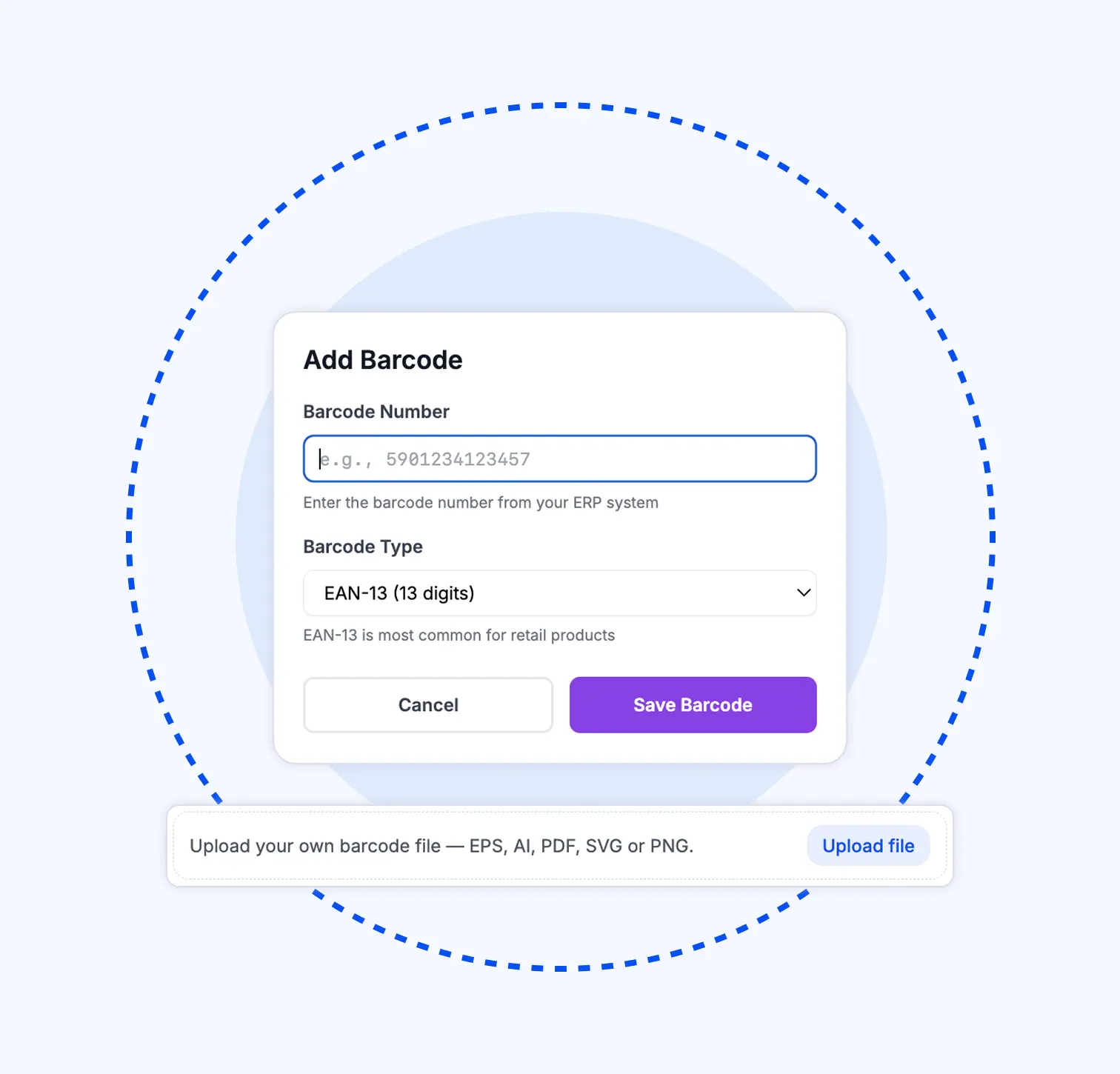
EAN-13 or UPC, press-quality, correct check digit, generated on the SKU. One at a time or from a list.
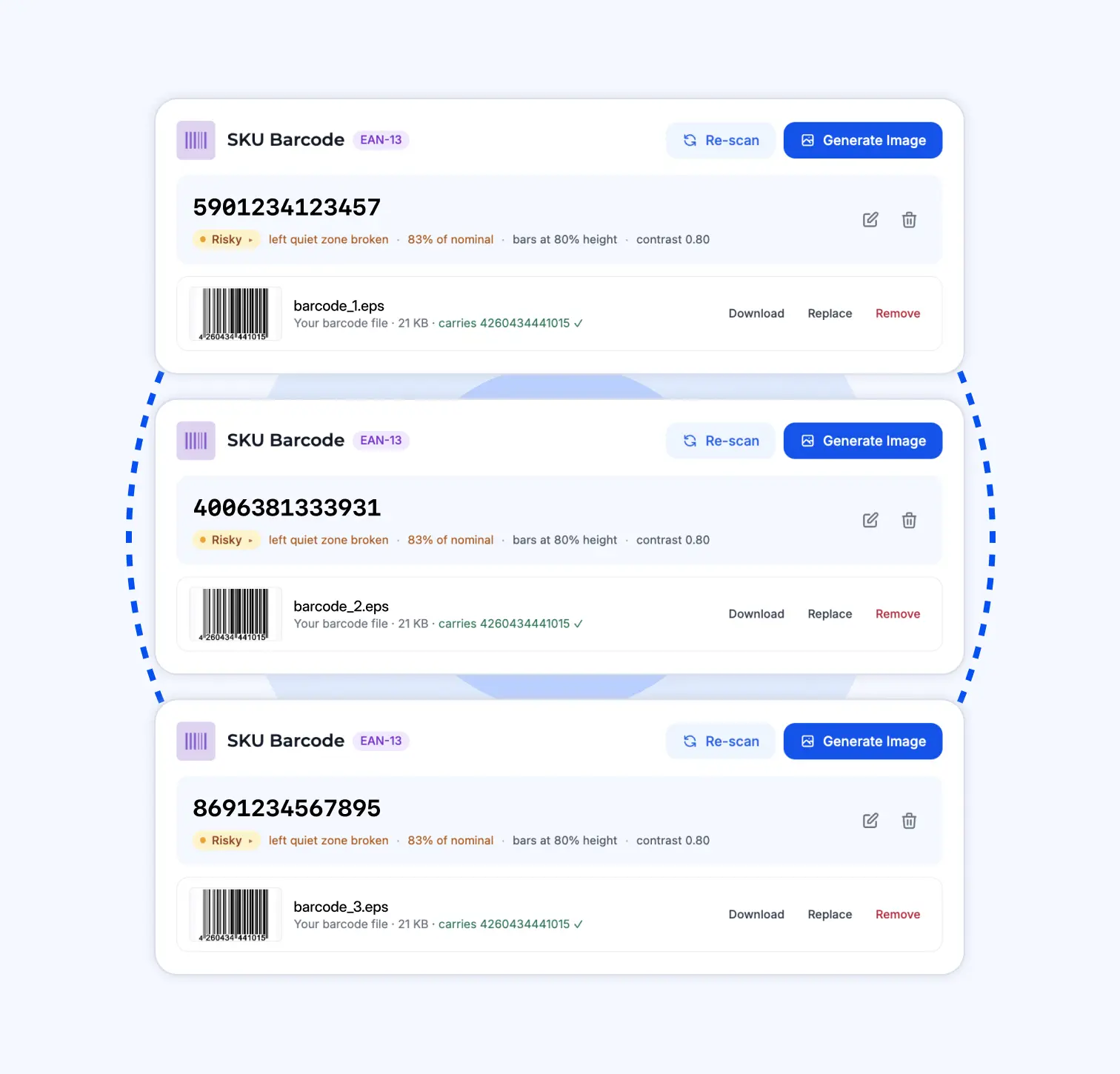
Already have the codes? Upload the list — numbers or files — and every SKU gets its barcode in one pass. Two hundred codes before lunch.
EPS, AI, PDF, SVG or PNG on the SKU. CoLabel reads the number, refuses one that doesn’t match, and the extension places that exact file — never a redraw.
Every saved label measured against GS1: magnification, bar height, quiet zones, contrast, distance from the edge. Good or Risky, with the reason. 338 files checked in one run.
One number per SKU, held as a field. Every uploaded artwork is checked against it; a mismatch is flagged on the exact spot.
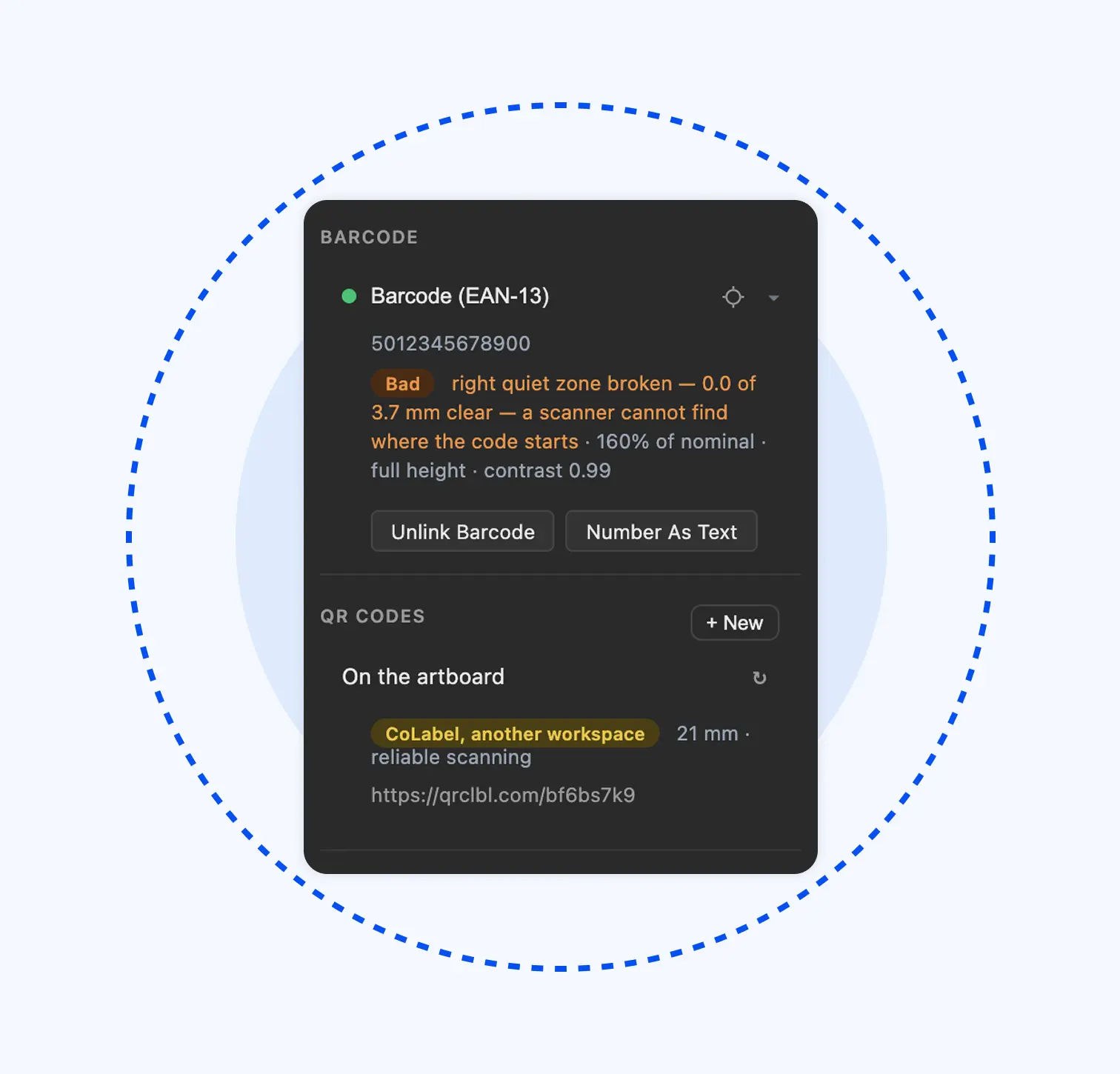
The Illustrator extension places the code, keeps it tracked through rotation, nesting or import, and embeds it on every save so it can’t drop out of the export.
The printer says the barcode won’t scan.
Old way
- Find the file. Who made it?
- Regenerate, re-place, re-export.
- Resend. Hope.
- Wait for the next proof.
A week. A second proof fee.
 A week. A second proof fee.
New way
- Upload. Risky — bars too close to the edge.
- Move it. Save. Good.
Fixed before it left.
 Fixed before it left.
Trusted by teams who print.

'%3e%3cpath%20id='Vector'%20d='M0%2014.3886H6.73782V40.9652C6.73782%2041.9132%207.47898%2042.658%208.42228%2042.658C9.36557%2042.658%2010.1067%2041.9132%2010.1067%2040.9652V6.94039H2.69513V0.846389H16.8446V40.2881C16.8446%2044.9602%2014.4189%2048.752%208.42228%2048.752C2.42562%2048.752%200%2044.9602%200%2040.2881V14.3886Z'%20fill='black'/%3e%3cpath%20id='Vector_2'%20d='M112.239%200C106.127%200%20103.655%203.85276%20103.655%208.60269V48.3085H110.524V33.8285H113.957V48.3085H120.826V8.60269C120.826%203.85276%20118.353%200%20112.239%200ZM110.524%2027.0574V7.91204C110.524%206.95054%20111.278%206.19218%20112.239%206.19218C113.199%206.19218%20113.957%206.95054%20113.957%207.91204V27.0574H110.524Z'%20fill='black'/%3e%3cpath%20id='Vector_3'%20d='M19.5397%2044.0122V0.846389H26.2775V41.2022C26.2775%2042.1502%2027.0187%2042.895%2027.962%2042.895C28.9053%2042.895%2029.6464%2042.1502%2029.6464%2041.2022V0.846389H36.3842V48.3119H29.6464V43.9784H28.9726V44.0122C28.9726%2046.6529%2027.4903%2048.752%2024.2562%2048.752C21.022%2048.752%2019.5397%2046.6529%2019.5397%2044.0122Z'%20fill='black'/%3e%3cg%20id='Group'%3e%3cpath%20id='Vector_4'%20d='M38.8873%2012.574H45.6252V48.3119H38.8873V12.574Z'%20fill='black'/%3e%3cpath%20id='Vector_5'%20d='M42.2562%207.40421C44.1168%207.40421%2045.6252%205.88844%2045.6252%204.01865C45.6252%202.14886%2044.1168%200.633099%2042.2562%200.633099C40.3956%200.633099%2038.8873%202.14886%2038.8873%204.01865C38.8873%205.88844%2040.3956%207.40421%2042.2562%207.40421Z'%20fill='black'/%3e%3c/g%3e%3cpath%20id='Vector_6'%20d='M159.663%200.846389H143.189V7.16045H148.286V48.3085H154.566V7.16045H159.663V0.846389Z'%20fill='black'/%3e%3cpath%20id='Vector_7'%20d='M58.427%200.846389H65.1648V29.1158H58.427V7.65135C58.427%207.10967%2058.1575%206.56798%2057.7532%206.29713C57.4837%206.094%2057.1468%205.95858%2056.7426%205.95858C55.7993%205.95858%2055.0581%206.7034%2055.0581%207.65135V40.9652C55.0581%2041.9132%2055.7993%2042.658%2056.7426%2042.658C57.6859%2042.658%2058.427%2041.9132%2058.427%2040.9652V33.517H65.1648V40.2881C65.1648%2044.9602%2062.7392%2048.752%2056.7426%2048.752C50.7459%2048.752%2048.3203%2044.9602%2048.3203%2040.2881V4.73978C48.3203%202.09904%2049.7352%200%2053.0368%200C56.3383%200%2057.7532%202.09904%2057.7532%204.8752H58.427V0.846389Z'%20fill='black'/%3e%3cpath%20id='Vector_8'%20d='M140.164%200.846389V26.5326H133.409V7.63443C133.409%207.09274%20133.139%206.55105%20132.735%206.2802C132.466%206.07707%20132.125%205.94165%20131.721%205.94165C130.774%205.94165%20130.033%206.68647%20130.033%207.63443V21.996C130.033%2026.9422%20140.908%2031.5466%20140.908%2040.4878C140.908%2044.8247%20138.341%2048.752%20132.058%2048.752C125.775%2048.752%20123.275%2044.8214%20123.275%2039.9462V33.5102H130.03V40.6233C130.03%2041.7744%20130.909%2042.6546%20132.058%2042.6546C133.207%2042.6546%20134.083%2041.7744%20134.083%2040.6233C134.083%2032.6977%20123.275%2031.0049%20123.275%2021.996V4.74316C123.275%202.09904%20124.693%200%20128.005%200C131.317%200%20132.735%202.09904%20132.735%204.87858H133.409V0.846389H140.164Z'%20fill='black'/%3e%3cpath%20id='Vector_9'%20d='M101.178%200.846389V24.3151H94.4407V7.65135C94.4407%207.10967%2094.1712%206.56798%2093.7669%206.29713C93.4974%206.094%2093.1605%205.95858%2092.7562%205.95858C91.8129%205.95858%2091.0718%206.7034%2091.0718%207.65135V27.0574H94.3362V33.8285H91.0718V48.3085H84.3339V4.73978C84.3339%202.09904%2085.7489%200%2089.0504%200C92.3519%200%2093.7669%202.09904%2093.7669%204.8752H94.4407V0.846389H101.178Z'%20fill='black'/%3e%3cpath%20id='Vector_10'%20d='M74.2272%207.40082V27.0574H78.5327V33.8285H74.2272V42.8273H81.6388V48.3085H67.4894V0.846389H81.6388V7.40082H74.2272Z'%20fill='black'/%3e%3c/g%3e%3cdefs%3e%3cclipPath%20id='clip0_0_38'%3e%3crect%20width='159.663'%20height='48.752'%20fill='white'/%3e%3c/clipPath%3e%3c/defs%3e%3c/svg%3e)




“Migrating to CoLabel was surprisingly easy. We shared a Google Drive link and had a fully set-up account two days later. Along the way, CoLabel caught inconsistencies in our designs and labels we’d never spotted. Everything looks great so far, and we’re eager to use it more.”
 — DanielCEO, Frank
“We’re moving more of our marketing work to AI, and CoLabel is the first tool that lets an agent actually work with our print files. I ask it to change a line across every juice label and tell the designer — it’s done, with the same versions and approvals as if I’d clicked it myself.”
 — DavidCEO, Juicefast
“I’ve worked on label development projects for more than 15 years, and CoLabel is the first tool I’ve found that truly bridges the gap between designers and clients. It makes reviewing, commenting, and approving labels easy and efficient, and I’m really satisfied with it.”
 — ThuyBrand Manager, Thor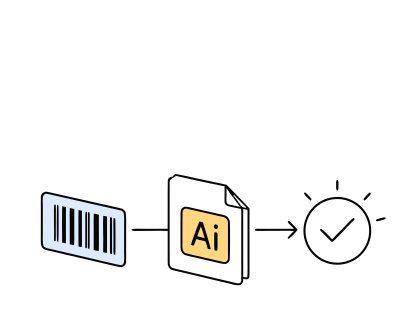
Frequently asked questions
EAN-13 and UPC-A, press-quality, with the correct check digit.
Yes — a list of numbers or a folder of files, matched to SKUs in one pass.
Measured from the PDF against the GS1 standard — magnification, bar height, quiet zones, contrast, edge distance. Risky is a layout warning, not a defect in the code.
Yes. EPS, AI, PDF, SVG or PNG. We read the number and place the file as is.
On every plan, including Free. Compare plans
Your barcodes, uploaded and linked for you. Every SKU, tracked. Zero effort.
Send us your barcode files and your labels — any format.
We link each code to its SKU, place it in the artwork, and check it scans.
Ready in 48 hours. Free with any paid plan.