Artwork management software that knows which file is live.
One link per label, every version inside it. Design, barcode, QR code and content connected to the artwork they belong to.
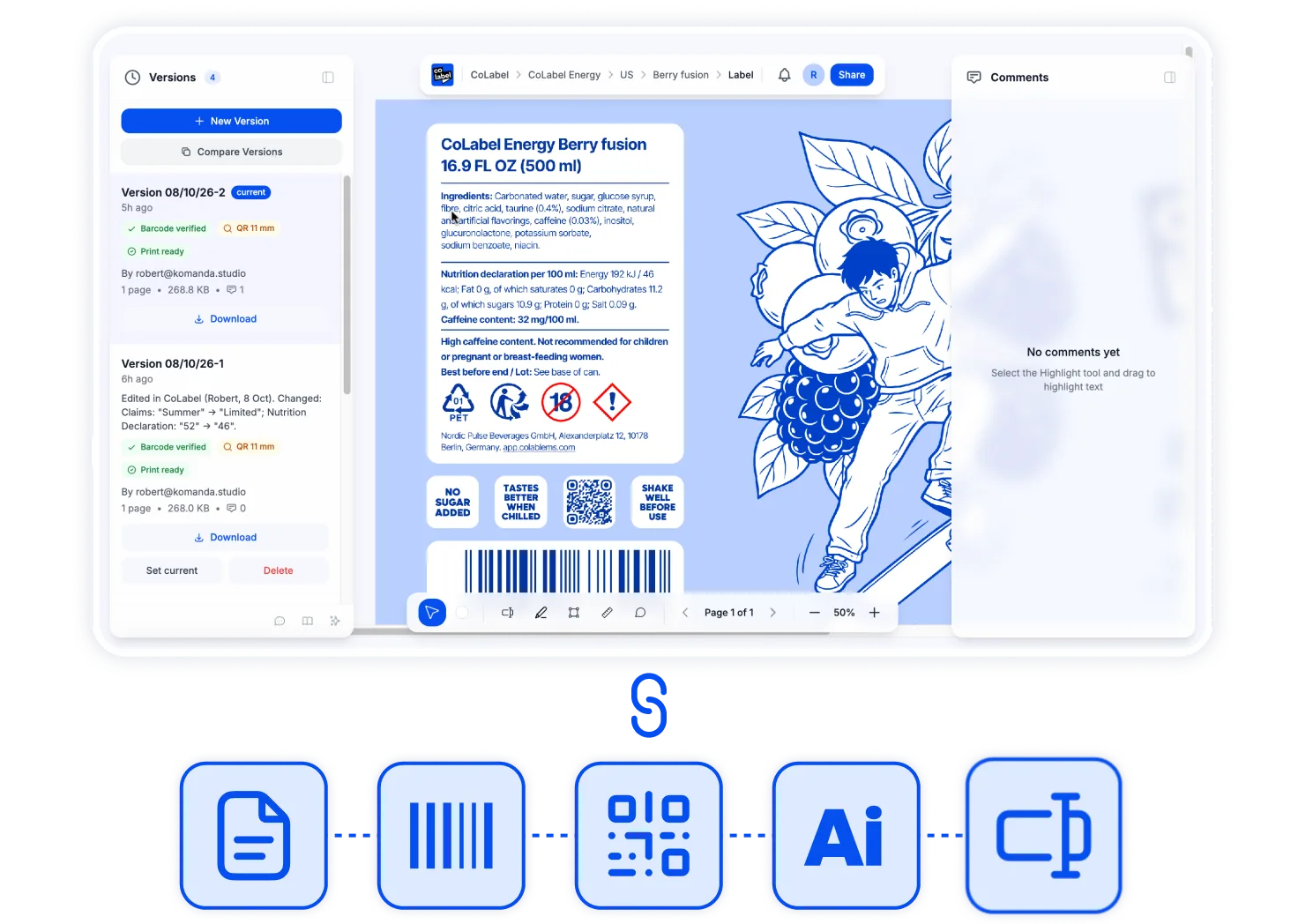
What artwork management fixes.
Which file is the real one?
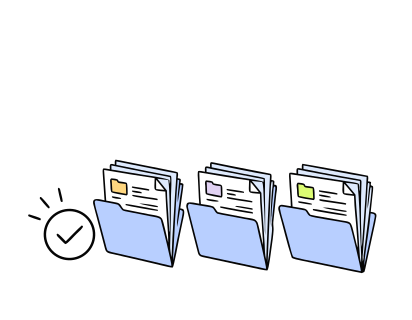
One is marked live. The rest are versions, kept and compared.
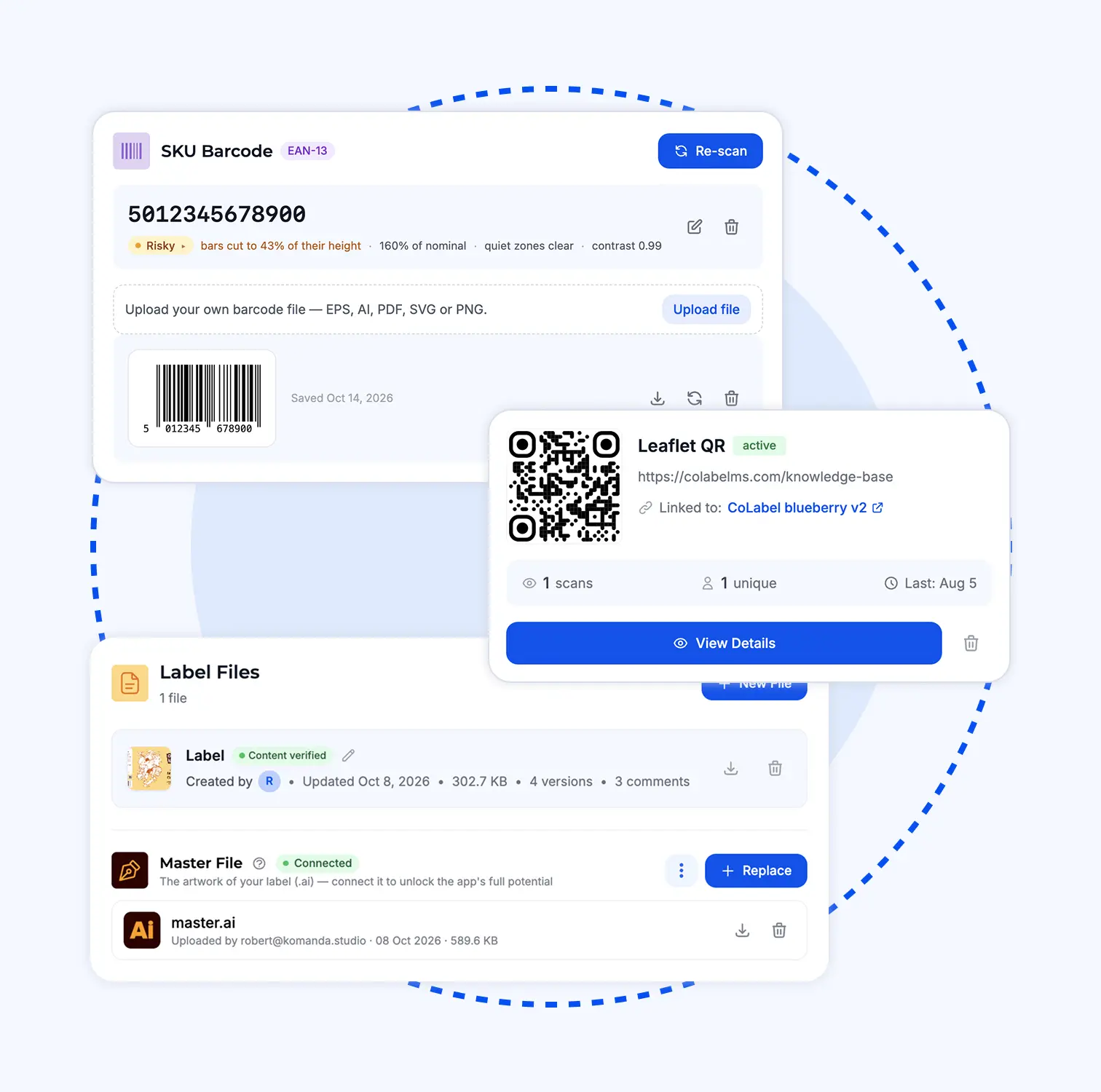
Where’s the design for this?
Next to the label. Same for the barcode, the QR code, the brief.
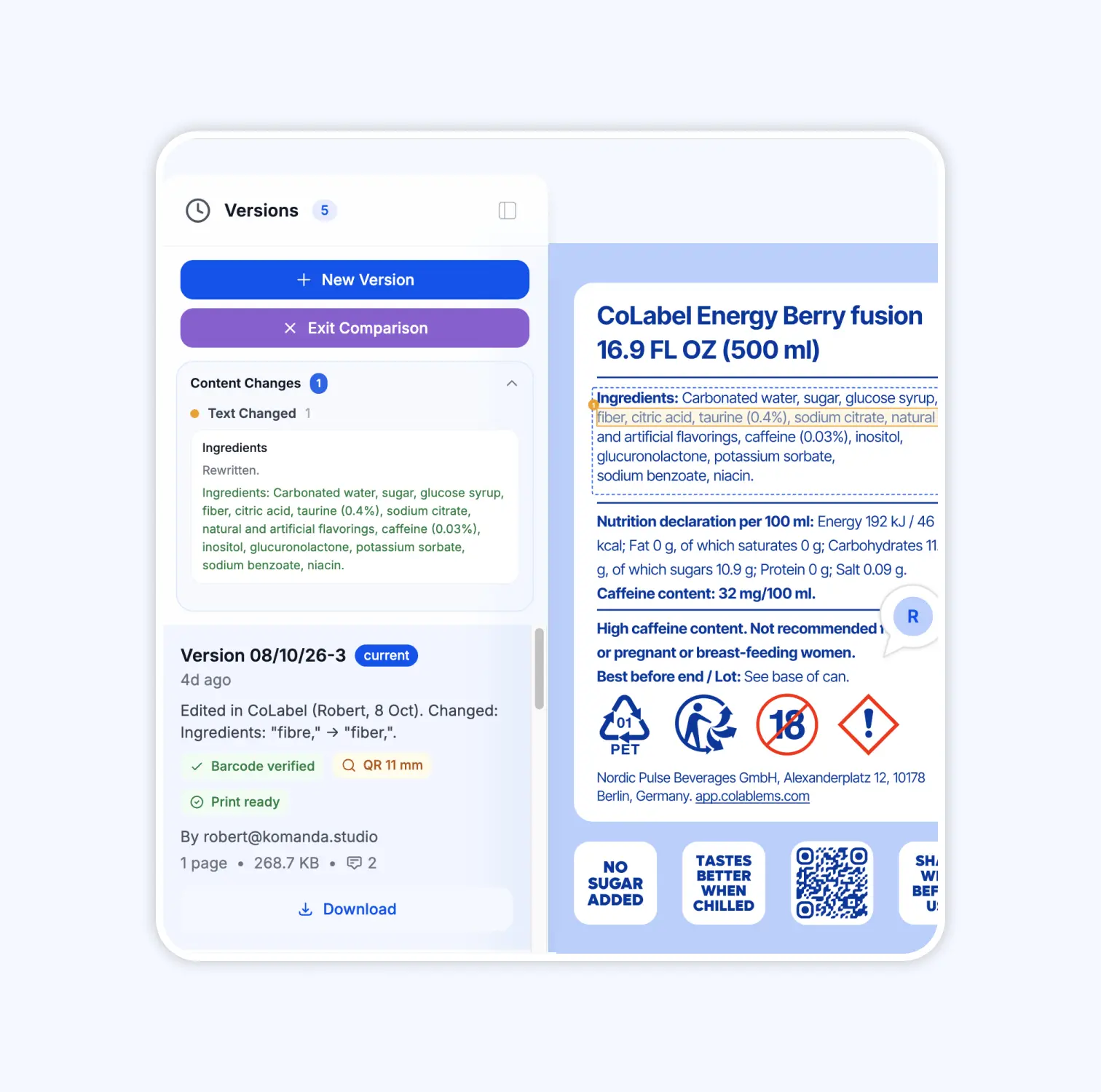
What changed since last print?
Named, word by word, between any two versions.
Who changed it, and when?
Every version carries a name, a date and a note. Every approval too.
The backbone of label management.
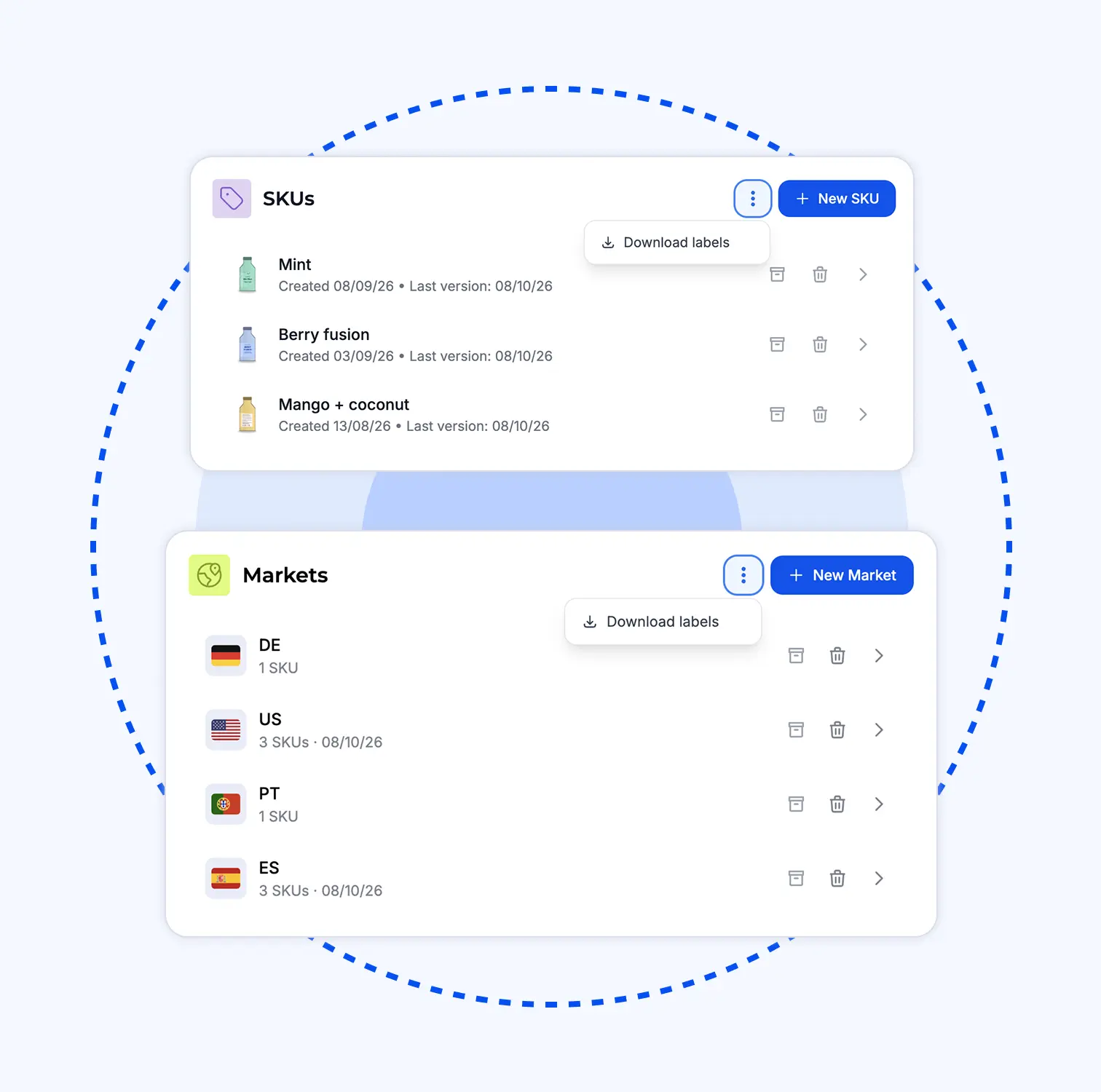
Product → market → SKU → label. One URL for each level, linkable to anyone. The sidebar is the tree.
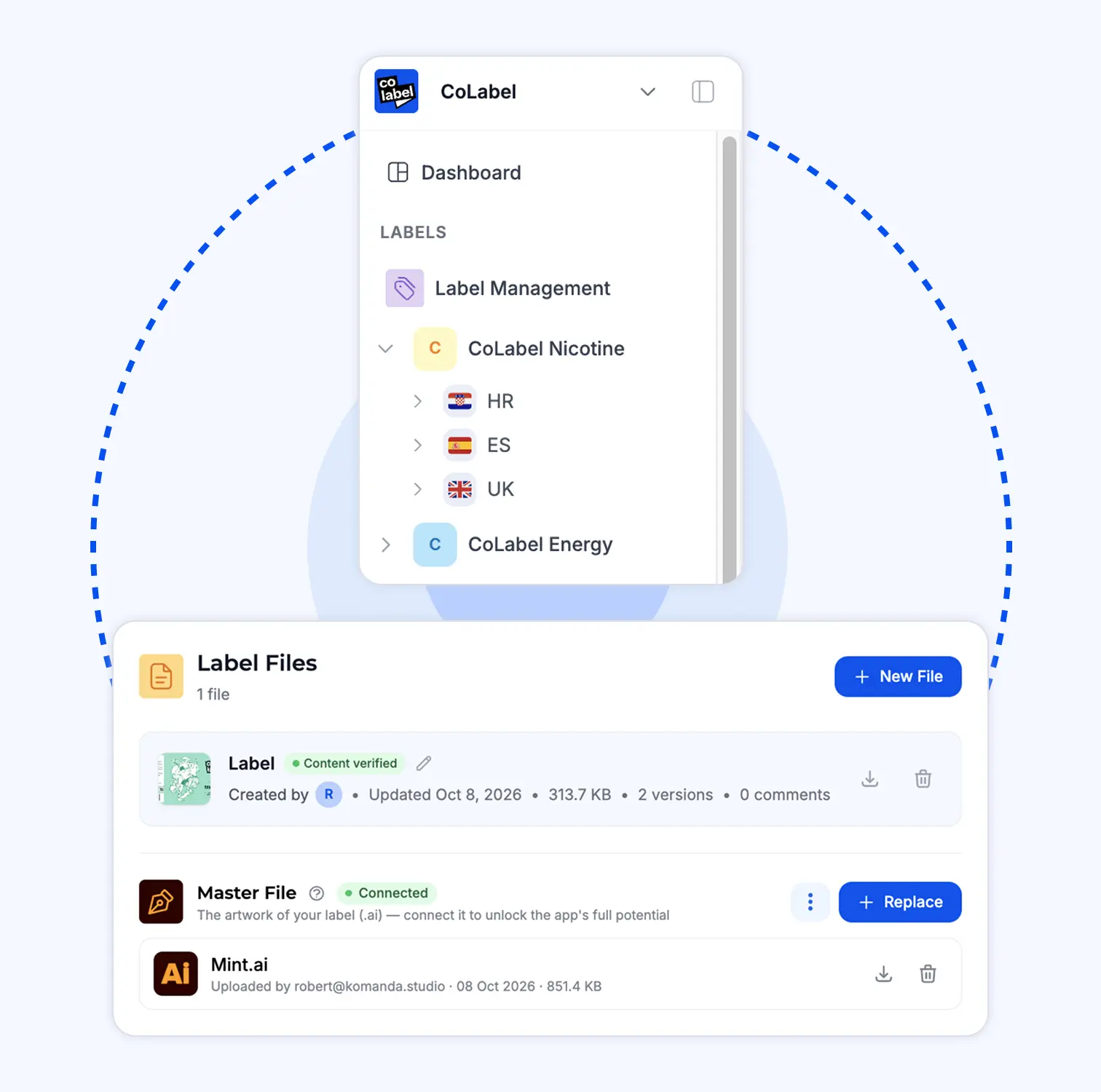
Every upload kept. One marked live. Any two compared, every change named. One click restores.
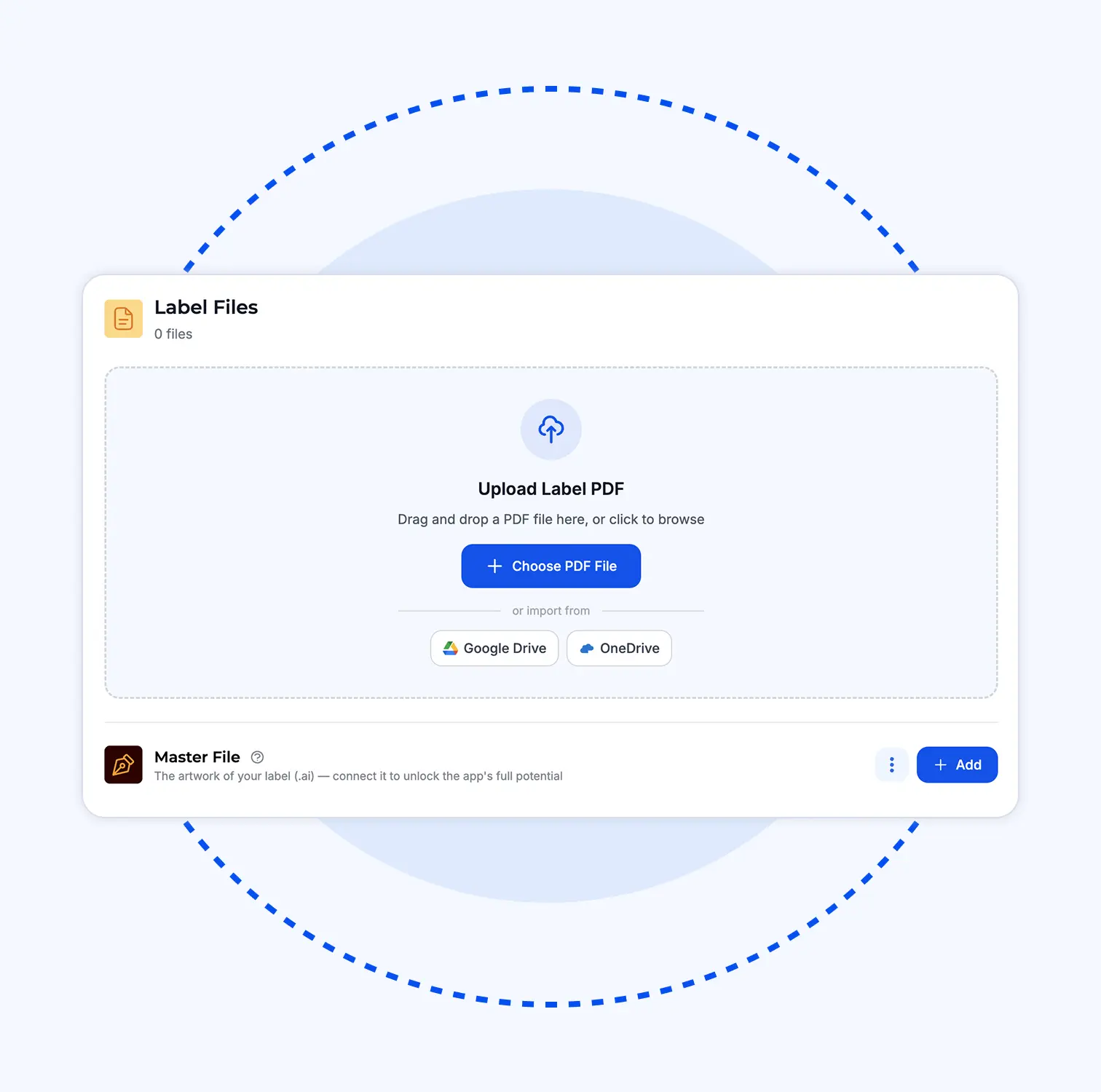
Design file, barcode file, QR code, attachments — stored on the SKU, next to the label. Fonts kept with the design.
Pull files from Google Drive or OneDrive on every plan. SharePoint on Enterprise.
A whole market or product: one PDF with bookmarks, one per label type, or a ZIP. Built in the background.
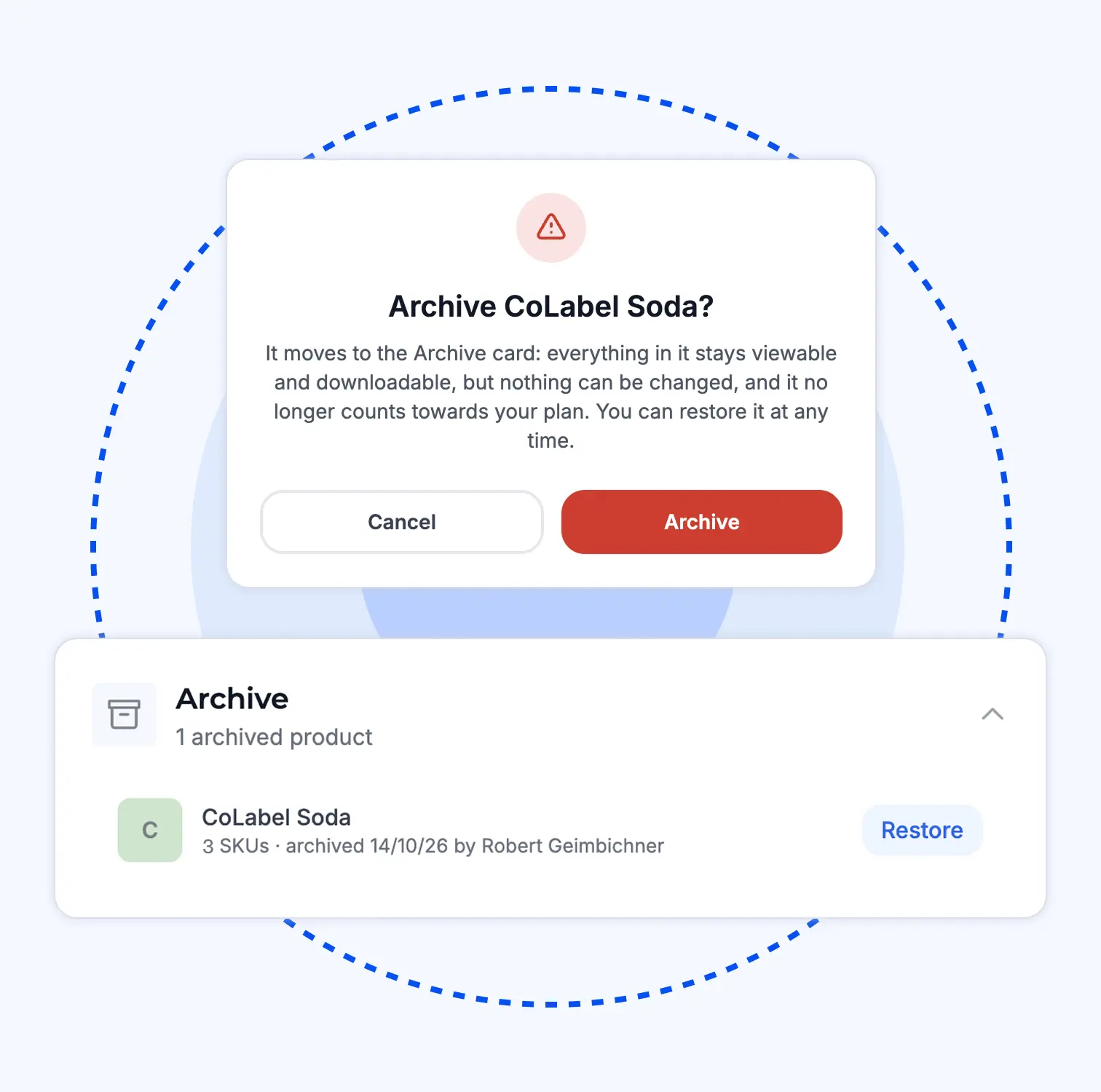
Stop selling a product, keep everything, stop paying for it. Restore brings it back as it was.
The printer asks for the latest file.
Old way
- Open the folder. Three PDFs, all called final.
- Check dates. Check emails. Ask the designer.
- Send one. Hope.
An hour. A guess. Sometimes a reprint.
 An hour. A guess. Sometimes a reprint.
New way
- Open the label. One version is marked live.
- Send the link.
A minute. No guess. Print.
 A minute. No guess. Print.
Trusted by teams who print.


'%3e%3cpath%20id='Vector'%20d='M0%2014.3886H6.73782V40.9652C6.73782%2041.9132%207.47898%2042.658%208.42228%2042.658C9.36557%2042.658%2010.1067%2041.9132%2010.1067%2040.9652V6.94039H2.69513V0.846389H16.8446V40.2881C16.8446%2044.9602%2014.4189%2048.752%208.42228%2048.752C2.42562%2048.752%200%2044.9602%200%2040.2881V14.3886Z'%20fill='black'/%3e%3cpath%20id='Vector_2'%20d='M112.239%200C106.127%200%20103.655%203.85276%20103.655%208.60269V48.3085H110.524V33.8285H113.957V48.3085H120.826V8.60269C120.826%203.85276%20118.353%200%20112.239%200ZM110.524%2027.0574V7.91204C110.524%206.95054%20111.278%206.19218%20112.239%206.19218C113.199%206.19218%20113.957%206.95054%20113.957%207.91204V27.0574H110.524Z'%20fill='black'/%3e%3cpath%20id='Vector_3'%20d='M19.5397%2044.0122V0.846389H26.2775V41.2022C26.2775%2042.1502%2027.0187%2042.895%2027.962%2042.895C28.9053%2042.895%2029.6464%2042.1502%2029.6464%2041.2022V0.846389H36.3842V48.3119H29.6464V43.9784H28.9726V44.0122C28.9726%2046.6529%2027.4903%2048.752%2024.2562%2048.752C21.022%2048.752%2019.5397%2046.6529%2019.5397%2044.0122Z'%20fill='black'/%3e%3cg%20id='Group'%3e%3cpath%20id='Vector_4'%20d='M38.8873%2012.574H45.6252V48.3119H38.8873V12.574Z'%20fill='black'/%3e%3cpath%20id='Vector_5'%20d='M42.2562%207.40421C44.1168%207.40421%2045.6252%205.88844%2045.6252%204.01865C45.6252%202.14886%2044.1168%200.633099%2042.2562%200.633099C40.3956%200.633099%2038.8873%202.14886%2038.8873%204.01865C38.8873%205.88844%2040.3956%207.40421%2042.2562%207.40421Z'%20fill='black'/%3e%3c/g%3e%3cpath%20id='Vector_6'%20d='M159.663%200.846389H143.189V7.16045H148.286V48.3085H154.566V7.16045H159.663V0.846389Z'%20fill='black'/%3e%3cpath%20id='Vector_7'%20d='M58.427%200.846389H65.1648V29.1158H58.427V7.65135C58.427%207.10967%2058.1575%206.56798%2057.7532%206.29713C57.4837%206.094%2057.1468%205.95858%2056.7426%205.95858C55.7993%205.95858%2055.0581%206.7034%2055.0581%207.65135V40.9652C55.0581%2041.9132%2055.7993%2042.658%2056.7426%2042.658C57.6859%2042.658%2058.427%2041.9132%2058.427%2040.9652V33.517H65.1648V40.2881C65.1648%2044.9602%2062.7392%2048.752%2056.7426%2048.752C50.7459%2048.752%2048.3203%2044.9602%2048.3203%2040.2881V4.73978C48.3203%202.09904%2049.7352%200%2053.0368%200C56.3383%200%2057.7532%202.09904%2057.7532%204.8752H58.427V0.846389Z'%20fill='black'/%3e%3cpath%20id='Vector_8'%20d='M140.164%200.846389V26.5326H133.409V7.63443C133.409%207.09274%20133.139%206.55105%20132.735%206.2802C132.466%206.07707%20132.125%205.94165%20131.721%205.94165C130.774%205.94165%20130.033%206.68647%20130.033%207.63443V21.996C130.033%2026.9422%20140.908%2031.5466%20140.908%2040.4878C140.908%2044.8247%20138.341%2048.752%20132.058%2048.752C125.775%2048.752%20123.275%2044.8214%20123.275%2039.9462V33.5102H130.03V40.6233C130.03%2041.7744%20130.909%2042.6546%20132.058%2042.6546C133.207%2042.6546%20134.083%2041.7744%20134.083%2040.6233C134.083%2032.6977%20123.275%2031.0049%20123.275%2021.996V4.74316C123.275%202.09904%20124.693%200%20128.005%200C131.317%200%20132.735%202.09904%20132.735%204.87858H133.409V0.846389H140.164Z'%20fill='black'/%3e%3cpath%20id='Vector_9'%20d='M101.178%200.846389V24.3151H94.4407V7.65135C94.4407%207.10967%2094.1712%206.56798%2093.7669%206.29713C93.4974%206.094%2093.1605%205.95858%2092.7562%205.95858C91.8129%205.95858%2091.0718%206.7034%2091.0718%207.65135V27.0574H94.3362V33.8285H91.0718V48.3085H84.3339V4.73978C84.3339%202.09904%2085.7489%200%2089.0504%200C92.3519%200%2093.7669%202.09904%2093.7669%204.8752H94.4407V0.846389H101.178Z'%20fill='black'/%3e%3cpath%20id='Vector_10'%20d='M74.2272%207.40082V27.0574H78.5327V33.8285H74.2272V42.8273H81.6388V48.3085H67.4894V0.846389H81.6388V7.40082H74.2272Z'%20fill='black'/%3e%3c/g%3e%3cdefs%3e%3cclipPath%20id='clip0_0_38'%3e%3crect%20width='159.663'%20height='48.752'%20fill='white'/%3e%3c/clipPath%3e%3c/defs%3e%3c/svg%3e)




“Migrating to CoLabel was surprisingly easy. We shared a Google Drive link and had a fully set-up account two days later. Along the way, CoLabel caught inconsistencies in our designs and labels we’d never spotted. Everything looks great so far, and we’re eager to use it more.”
 — DanielCEO, Frank
“We’re moving more of our marketing work to AI, and CoLabel is the first tool that lets an agent actually work with our print files. I ask it to change a line across every juice label and tell the designer — it’s done, with the same versions and approvals as if I’d clicked it myself.”
 — DavidCEO, Juicefast
“I’ve worked on label development projects for more than 15 years, and CoLabel is the first tool I’ve found that truly bridges the gap between designers and clients. It makes reviewing, commenting, and approving labels easy and efficient, and I’m really satisfied with it.”
 — ThuyBrand Manager, Thor
Artwork management done right. Everything after it gets faster.

Frequently asked questions
Yes, every one is kept. Archive what you don’t sell to free space without losing it. Compare plans
Yes — every product, market, SKU and file has its own address.
Google Drive and OneDrive on every plan. SharePoint on Enterprise. About Enterprise
Yes — one PDF with bookmarks, one per label type, or a ZIP.
It stays viewable, share links keep working, nothing can change, and it stops counting toward your plan.
Your label mess, sorted for you. Any size.
Zero-effort migration.
Send us every label-related file you have — any format, any state. We build your system from it — structure, designs, history — and fix what doesn’t match. Ready in 48 hours. Free with any paid plan.