Artwork that’s connected to the system. Not exported to it.
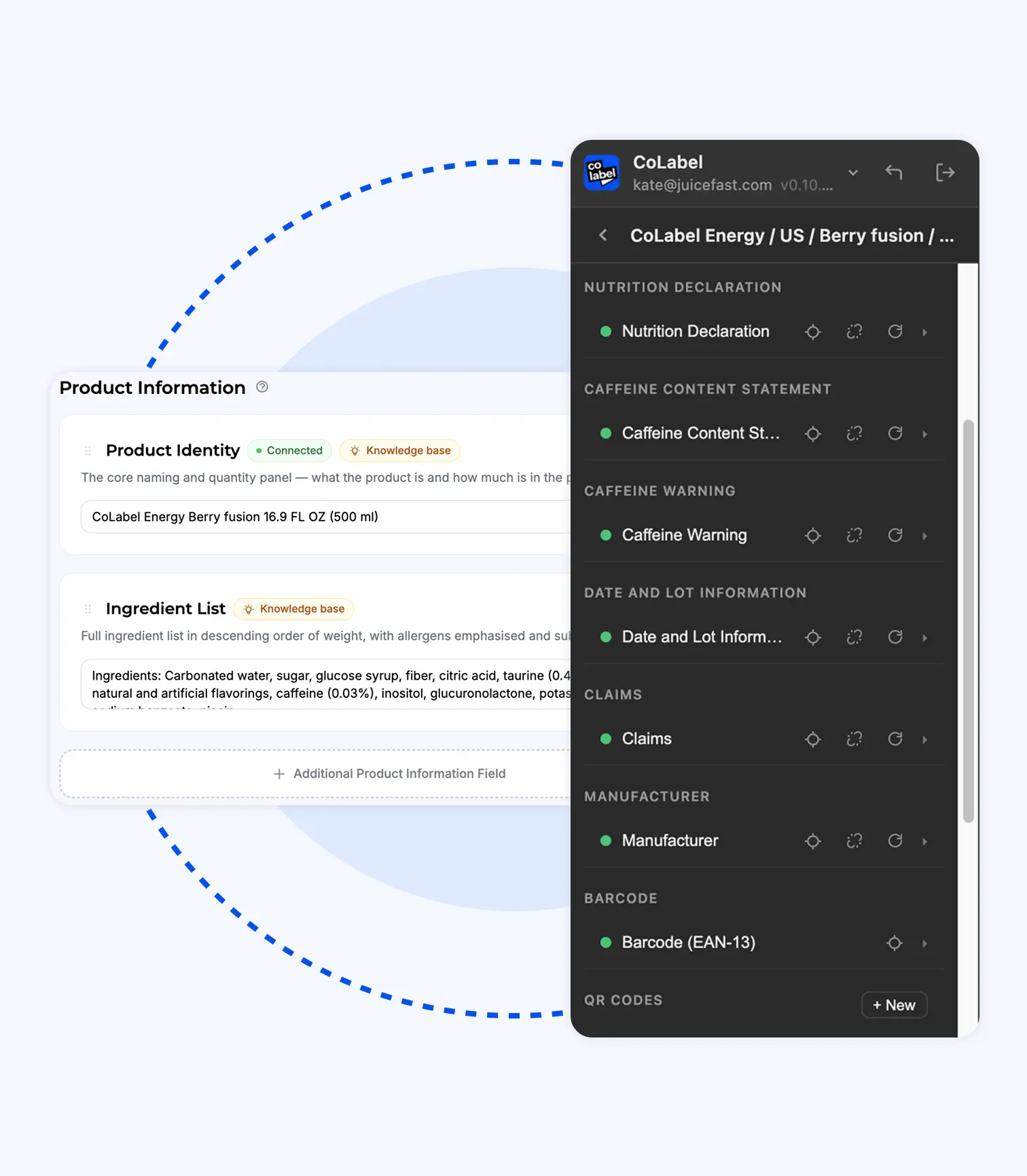
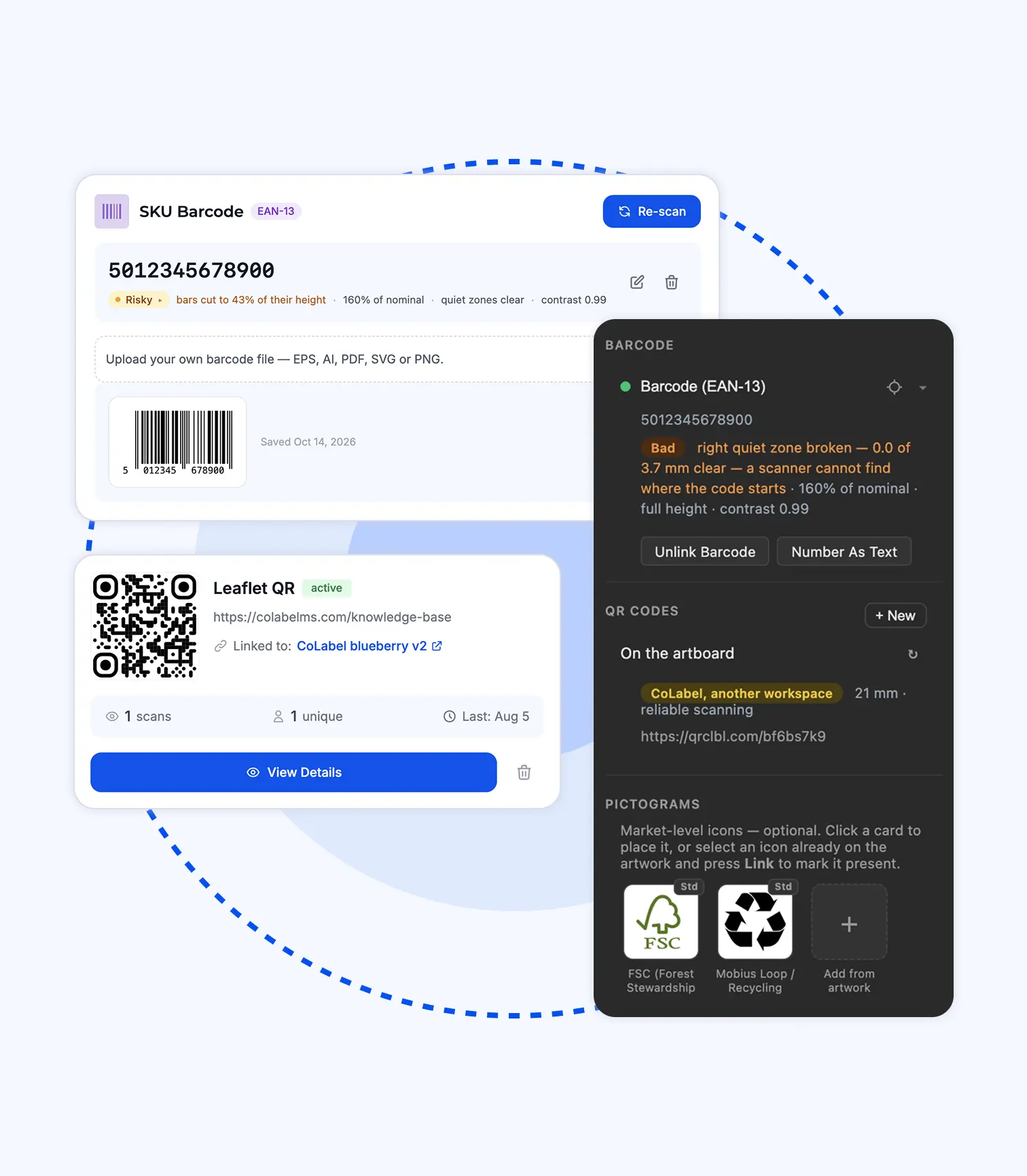
Every text frame, barcode and QR code on the artboard is a field in CoLabel. Change the field, the file rewrites itself. Save the file, the system knows. Nothing is retyped, nothing drifts.
What a connected artboard fixes.
The artwork and the data disagree.
They can’t. The text on the artboard is the field. Change one, the other is already changed.
Thirty files, one word, by hand.
One click. Every file rewritten in place, every layer, styling untouched. Done while you get a coffee.
Which layer did the change go on?
The one the field points to. Changes arrive as a list in the panel, pinned to the words — not a screenshot with arrows.
Fonts missing on the other machine.
Kept with the design. Switched on the moment anyone opens it from the panel.
The barcode that drifted during re-export.
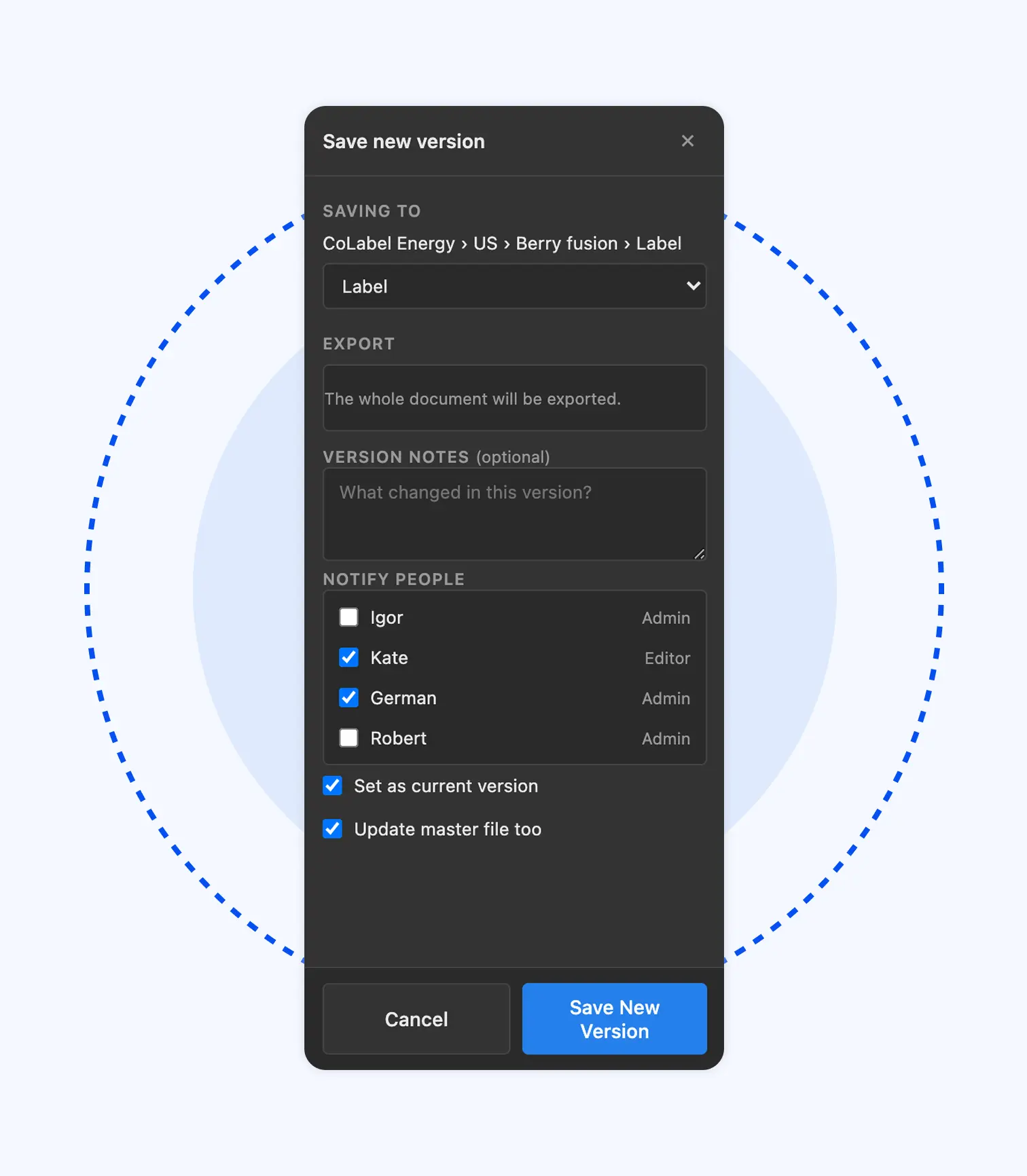
Your barcode file, placed as is, number checked against the SKU, embedded on every save.
Inside the panel.
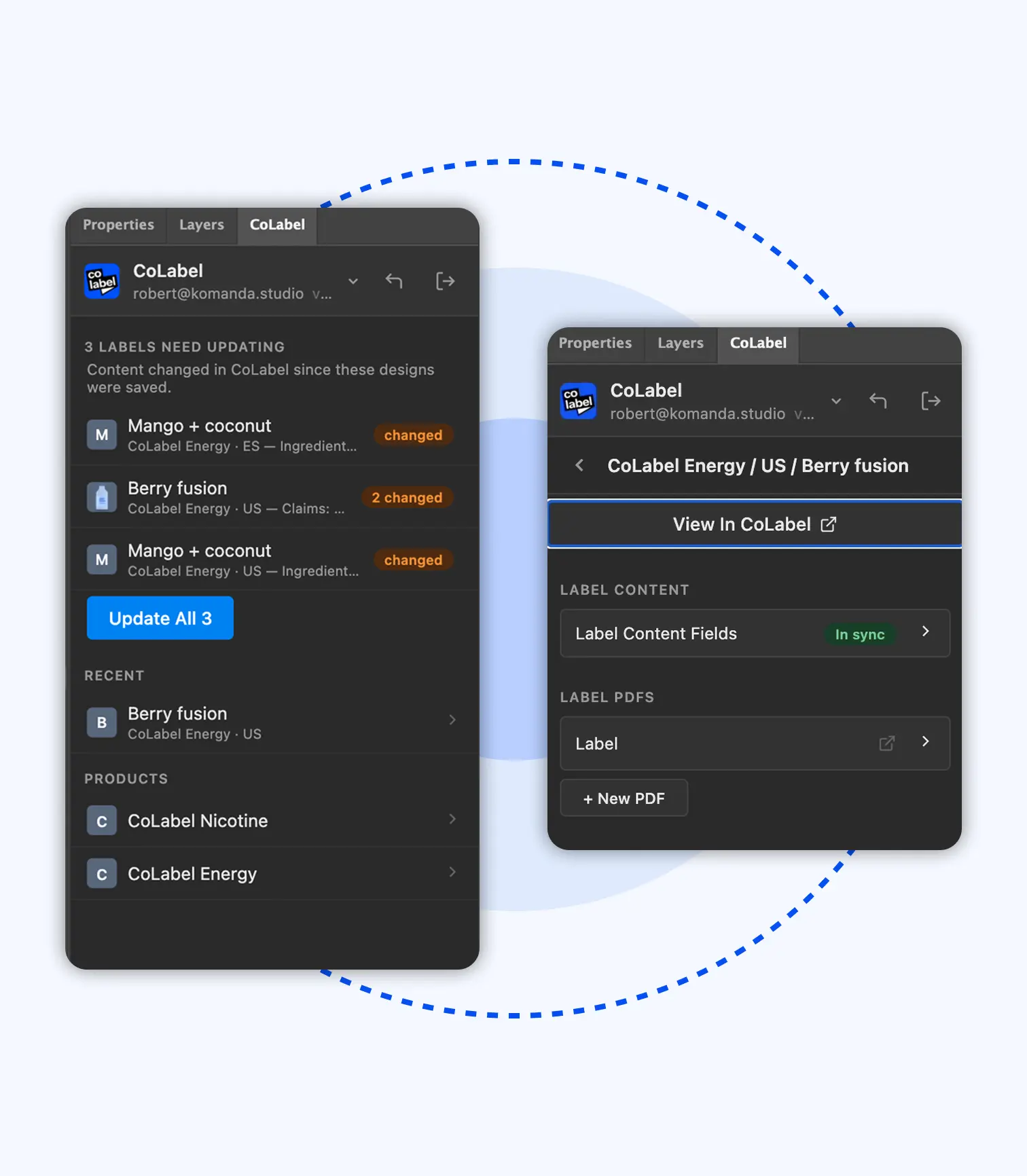
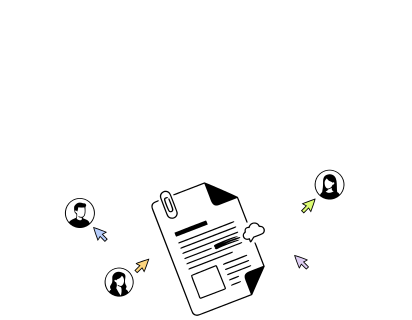
The whole tree — products, markets, SKUs, every file — in the panel. Open any design from there, no local copies, no searching. Save a new version and notify the team without leaving Illustrator.
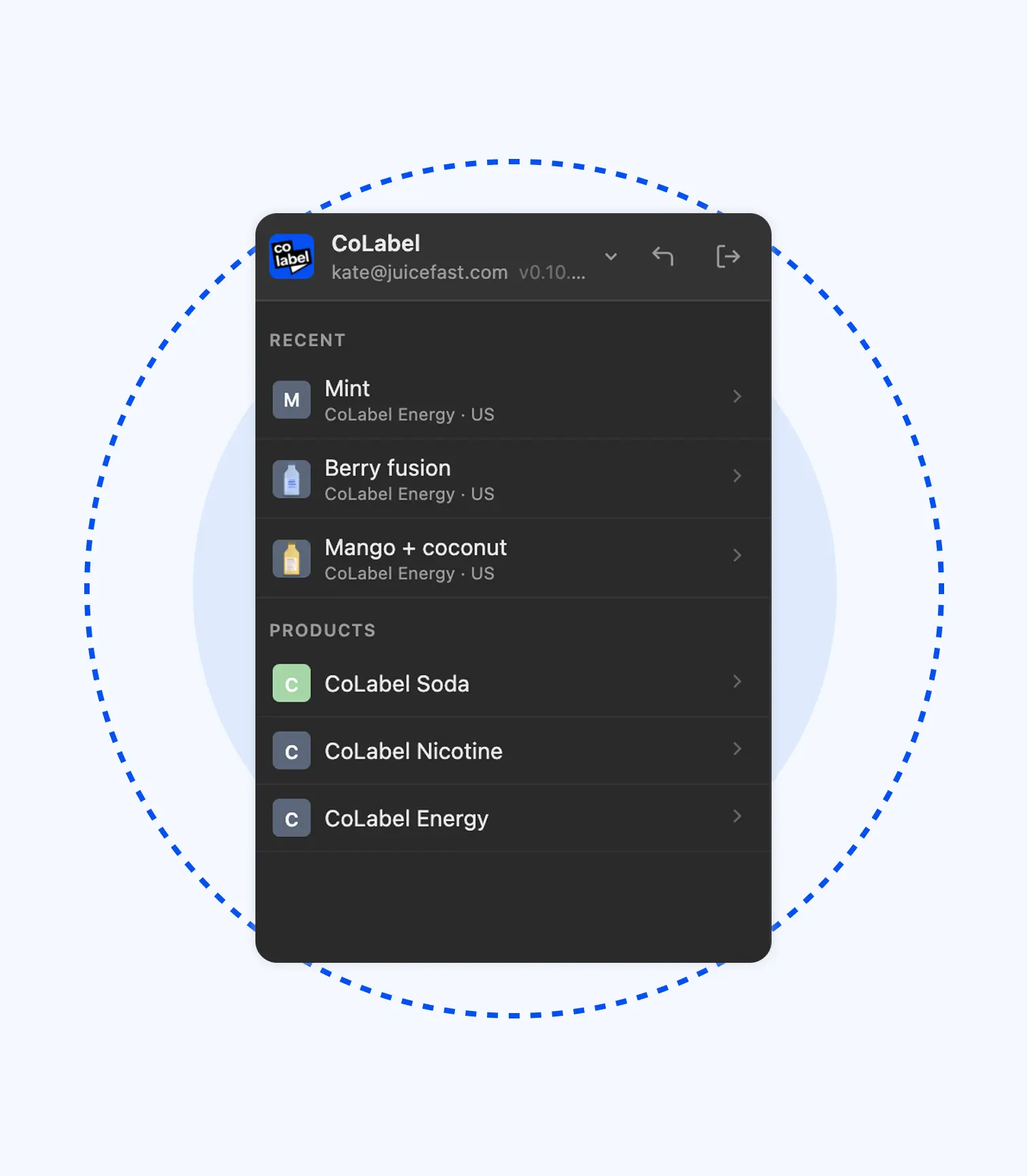
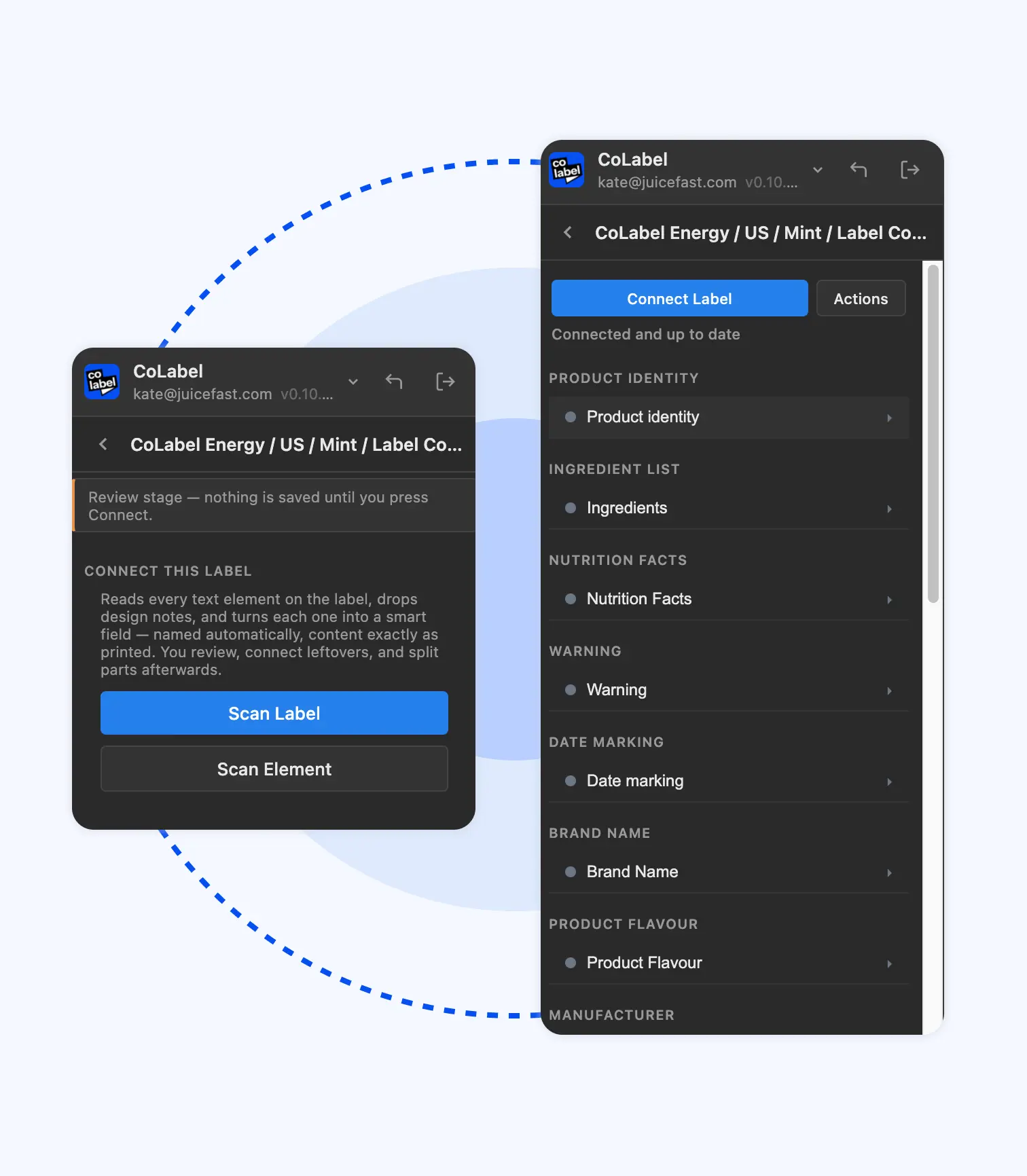
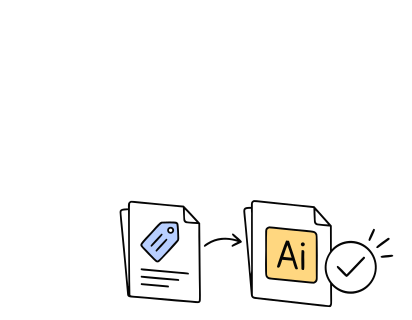
Save the artwork as the design file for a SKU and the panel captures the fonts, the linked content and the connections. From then on it’s part of the workspace, not a file on a machine.
One scan reads every text frame and sorts it into what it is — product information, market information, marketing copy. Built for labels, so it knows a nutrition table, a multi-language block, an allergen line when it sees one.
Found on the artboard and saved to the SKU immediately. One click replaces them with a properly generated barcode or a dynamic QR code — same style, same placement.
Content changes on the web app are captured. One button updates every connected design — one label or a hundred — without breaking the layout, and saves each as a new version.
Duplicate an existing design, and the text swaps itself for the new SKU’s content. Content fields are normal Illustrator text — style them, copy them, move them exactly as before. Nothing new to learn.
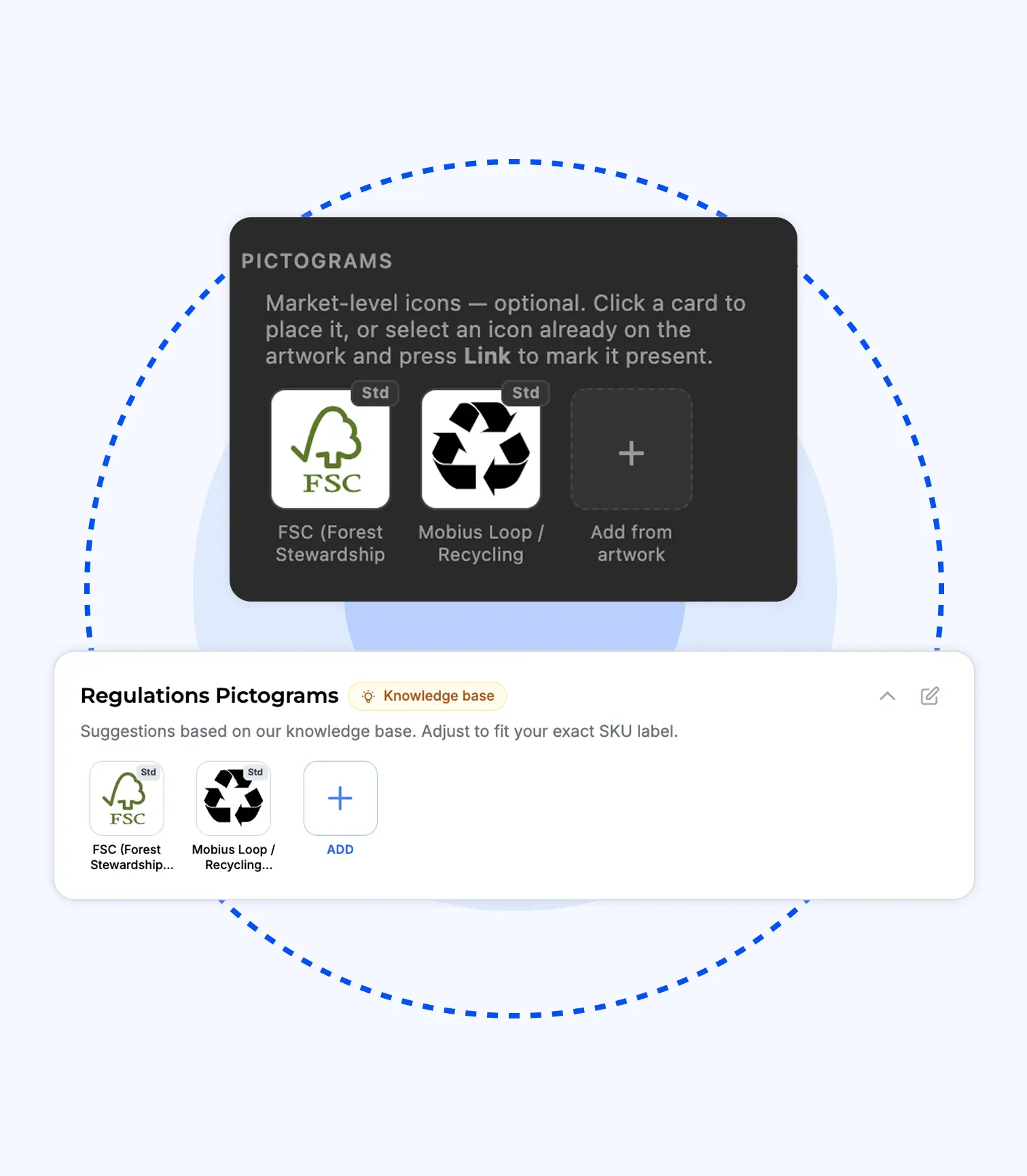
A regularly updated base of regulatory icons and symbols, placed from the panel. Save any element from one design and drop it into the next — same every time.
Two minutes in the panel.
Free for every designer. Every plan.
Register, download, connect your first file in ten minutes.
Download the extension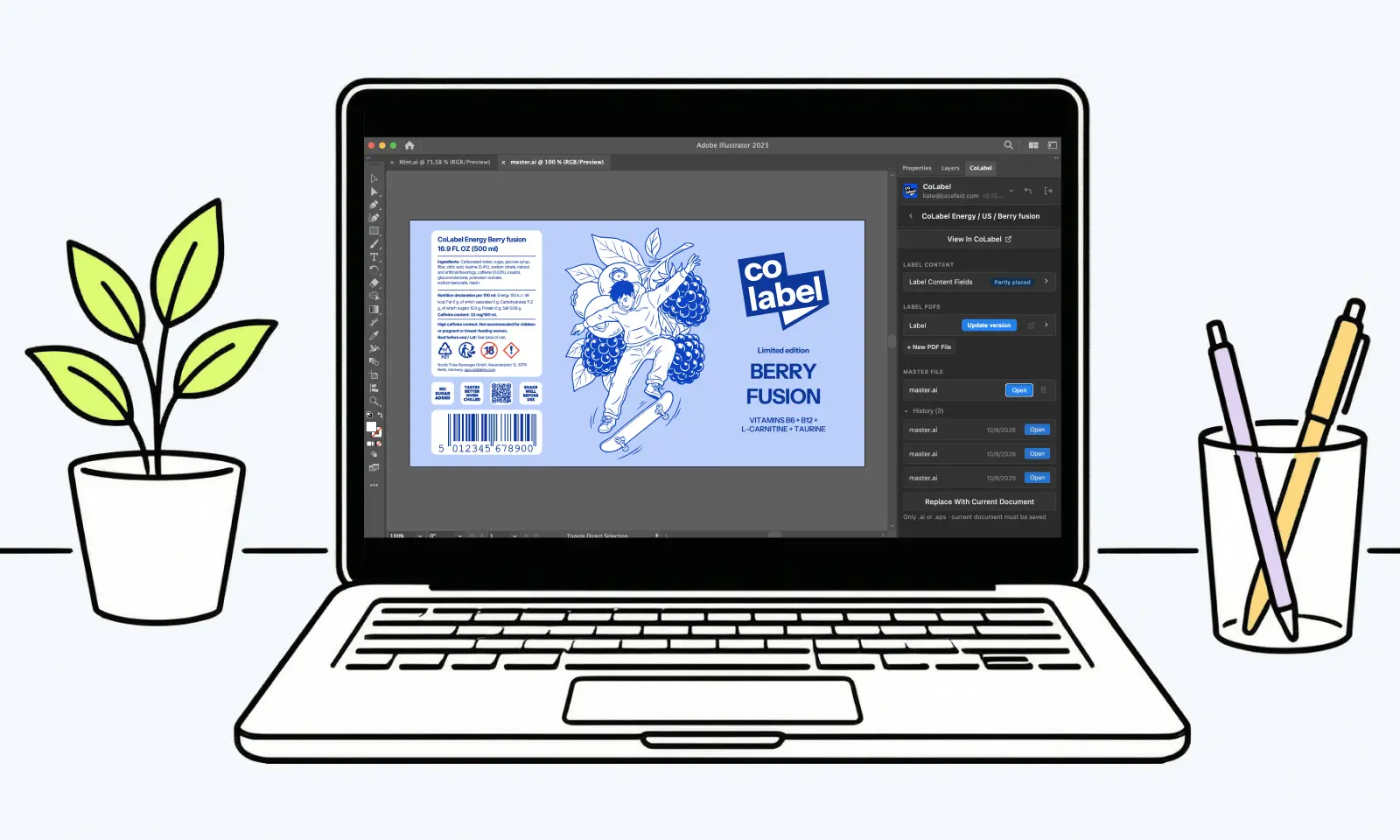
The ingredient list changed on twelve labels.
Old way
- Find the twelve files. Open each.
- Find the text. Check every layer.
- Edit, export, rename, send back.
- “You missed one.”
Thursday.
 Thursday.
New way
- Content changed once, in the web app.
- Panel lists twelve. Update all.
- Go get a coffee. Twelve files rewrite themselves.
- Back. Twelve versions saved, team notified.
Before the coffee’s cold.
 Before the coffee’s cold.
Trusted by teams who print.


'%3e%3cpath%20id='Vector'%20d='M0%2014.3886H6.73782V40.9652C6.73782%2041.9132%207.47898%2042.658%208.42228%2042.658C9.36557%2042.658%2010.1067%2041.9132%2010.1067%2040.9652V6.94039H2.69513V0.846389H16.8446V40.2881C16.8446%2044.9602%2014.4189%2048.752%208.42228%2048.752C2.42562%2048.752%200%2044.9602%200%2040.2881V14.3886Z'%20fill='black'/%3e%3cpath%20id='Vector_2'%20d='M112.239%200C106.127%200%20103.655%203.85276%20103.655%208.60269V48.3085H110.524V33.8285H113.957V48.3085H120.826V8.60269C120.826%203.85276%20118.353%200%20112.239%200ZM110.524%2027.0574V7.91204C110.524%206.95054%20111.278%206.19218%20112.239%206.19218C113.199%206.19218%20113.957%206.95054%20113.957%207.91204V27.0574H110.524Z'%20fill='black'/%3e%3cpath%20id='Vector_3'%20d='M19.5397%2044.0122V0.846389H26.2775V41.2022C26.2775%2042.1502%2027.0187%2042.895%2027.962%2042.895C28.9053%2042.895%2029.6464%2042.1502%2029.6464%2041.2022V0.846389H36.3842V48.3119H29.6464V43.9784H28.9726V44.0122C28.9726%2046.6529%2027.4903%2048.752%2024.2562%2048.752C21.022%2048.752%2019.5397%2046.6529%2019.5397%2044.0122Z'%20fill='black'/%3e%3cg%20id='Group'%3e%3cpath%20id='Vector_4'%20d='M38.8873%2012.574H45.6252V48.3119H38.8873V12.574Z'%20fill='black'/%3e%3cpath%20id='Vector_5'%20d='M42.2562%207.40421C44.1168%207.40421%2045.6252%205.88844%2045.6252%204.01865C45.6252%202.14886%2044.1168%200.633099%2042.2562%200.633099C40.3956%200.633099%2038.8873%202.14886%2038.8873%204.01865C38.8873%205.88844%2040.3956%207.40421%2042.2562%207.40421Z'%20fill='black'/%3e%3c/g%3e%3cpath%20id='Vector_6'%20d='M159.663%200.846389H143.189V7.16045H148.286V48.3085H154.566V7.16045H159.663V0.846389Z'%20fill='black'/%3e%3cpath%20id='Vector_7'%20d='M58.427%200.846389H65.1648V29.1158H58.427V7.65135C58.427%207.10967%2058.1575%206.56798%2057.7532%206.29713C57.4837%206.094%2057.1468%205.95858%2056.7426%205.95858C55.7993%205.95858%2055.0581%206.7034%2055.0581%207.65135V40.9652C55.0581%2041.9132%2055.7993%2042.658%2056.7426%2042.658C57.6859%2042.658%2058.427%2041.9132%2058.427%2040.9652V33.517H65.1648V40.2881C65.1648%2044.9602%2062.7392%2048.752%2056.7426%2048.752C50.7459%2048.752%2048.3203%2044.9602%2048.3203%2040.2881V4.73978C48.3203%202.09904%2049.7352%200%2053.0368%200C56.3383%200%2057.7532%202.09904%2057.7532%204.8752H58.427V0.846389Z'%20fill='black'/%3e%3cpath%20id='Vector_8'%20d='M140.164%200.846389V26.5326H133.409V7.63443C133.409%207.09274%20133.139%206.55105%20132.735%206.2802C132.466%206.07707%20132.125%205.94165%20131.721%205.94165C130.774%205.94165%20130.033%206.68647%20130.033%207.63443V21.996C130.033%2026.9422%20140.908%2031.5466%20140.908%2040.4878C140.908%2044.8247%20138.341%2048.752%20132.058%2048.752C125.775%2048.752%20123.275%2044.8214%20123.275%2039.9462V33.5102H130.03V40.6233C130.03%2041.7744%20130.909%2042.6546%20132.058%2042.6546C133.207%2042.6546%20134.083%2041.7744%20134.083%2040.6233C134.083%2032.6977%20123.275%2031.0049%20123.275%2021.996V4.74316C123.275%202.09904%20124.693%200%20128.005%200C131.317%200%20132.735%202.09904%20132.735%204.87858H133.409V0.846389H140.164Z'%20fill='black'/%3e%3cpath%20id='Vector_9'%20d='M101.178%200.846389V24.3151H94.4407V7.65135C94.4407%207.10967%2094.1712%206.56798%2093.7669%206.29713C93.4974%206.094%2093.1605%205.95858%2092.7562%205.95858C91.8129%205.95858%2091.0718%206.7034%2091.0718%207.65135V27.0574H94.3362V33.8285H91.0718V48.3085H84.3339V4.73978C84.3339%202.09904%2085.7489%200%2089.0504%200C92.3519%200%2093.7669%202.09904%2093.7669%204.8752H94.4407V0.846389H101.178Z'%20fill='black'/%3e%3cpath%20id='Vector_10'%20d='M74.2272%207.40082V27.0574H78.5327V33.8285H74.2272V42.8273H81.6388V48.3085H67.4894V0.846389H81.6388V7.40082H74.2272Z'%20fill='black'/%3e%3c/g%3e%3cdefs%3e%3cclipPath%20id='clip0_0_38'%3e%3crect%20width='159.663'%20height='48.752'%20fill='white'/%3e%3c/clipPath%3e%3c/defs%3e%3c/svg%3e)




“Migrating to CoLabel was surprisingly easy. We shared a Google Drive link and had a fully set-up account two days later. Along the way, CoLabel caught inconsistencies in our designs and labels we’d never spotted. Everything looks great so far, and we’re eager to use it more.”
 — DanielCEO, Frank
“We’re moving more of our marketing work to AI, and CoLabel is the first tool that lets an agent actually work with our print files. I ask it to change a line across every juice label and tell the designer — it’s done, with the same versions and approvals as if I’d clicked it myself.”
 — DavidCEO, Juicefast
“I’ve worked on label development projects for more than 15 years, and CoLabel is the first tool I’ve found that truly bridges the gap between designers and clients. It makes reviewing, commenting, and approving labels easy and efficient, and I’m really satisfied with it.”
 — ThuyBrand Manager, Thor
The extension is where the system meets the artwork.
Frequently asked questions
Illustrator 2022 or newer. For the best experience, 2024 (version 28) or later — that’s what we test on.
No. Changes are listed in the panel; nothing is written until you click. Every write is a new version.
No. Content fields are normal Illustrator text. Style them, copy them, move them as always.
The brand. Fonts, barcodes, designs live in the brand’s workspace, not on a designer’s machine.
Yes, including Free. Compare plans
Design the way you always have. Just without the boring half.
Free for every designer, on every plan. Connect your first file in ten minutes.
- Encrypted, backed up daily
- Your files stay in the EU
- No credit card needed
- GDPR compliant
 Encrypted, backed up daily
 Your files stay in the EU
 No credit card needed
 GDPR compliant