Printed materials, managed like labels.One link, every version, text you can change.
Every leaflet, insert and deck with its own link — versions, comments, share. Edit the text on the PDF, update from Illustrator, add a tracked QR. Free on every plan.
What printed materials management fixes.
The leaflet is on someone’s desktop.
It’s in the workspace, with every version and the design file behind it.
A typo on the shelf talker means a designer.
Highlight it on the PDF, type the fix, update from Illustrator. Or ask your agent.
The retailer needs to approve the wobbler.
Send a link. They comment, no account, no seat.
The campaign QR code nobody tracks.
One dynamic code on the leaflet and the pack, counted as one campaign.
The same system, without the setup. And without the invoice.
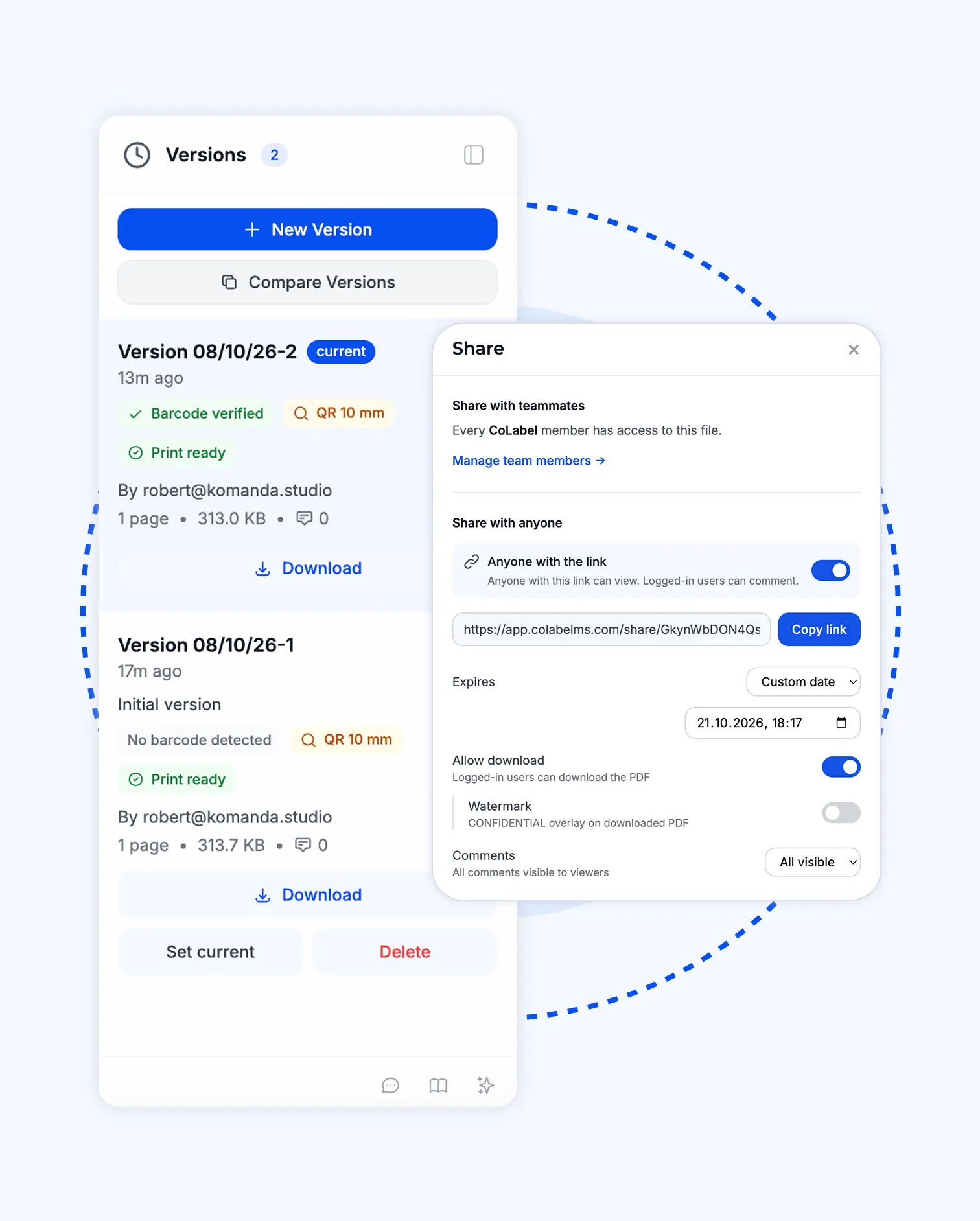
Upload, send the link. Printer, retailer, agency — they open it, comment, no account. Revoke or expire any time. Unlimited files, every plan, including Free.
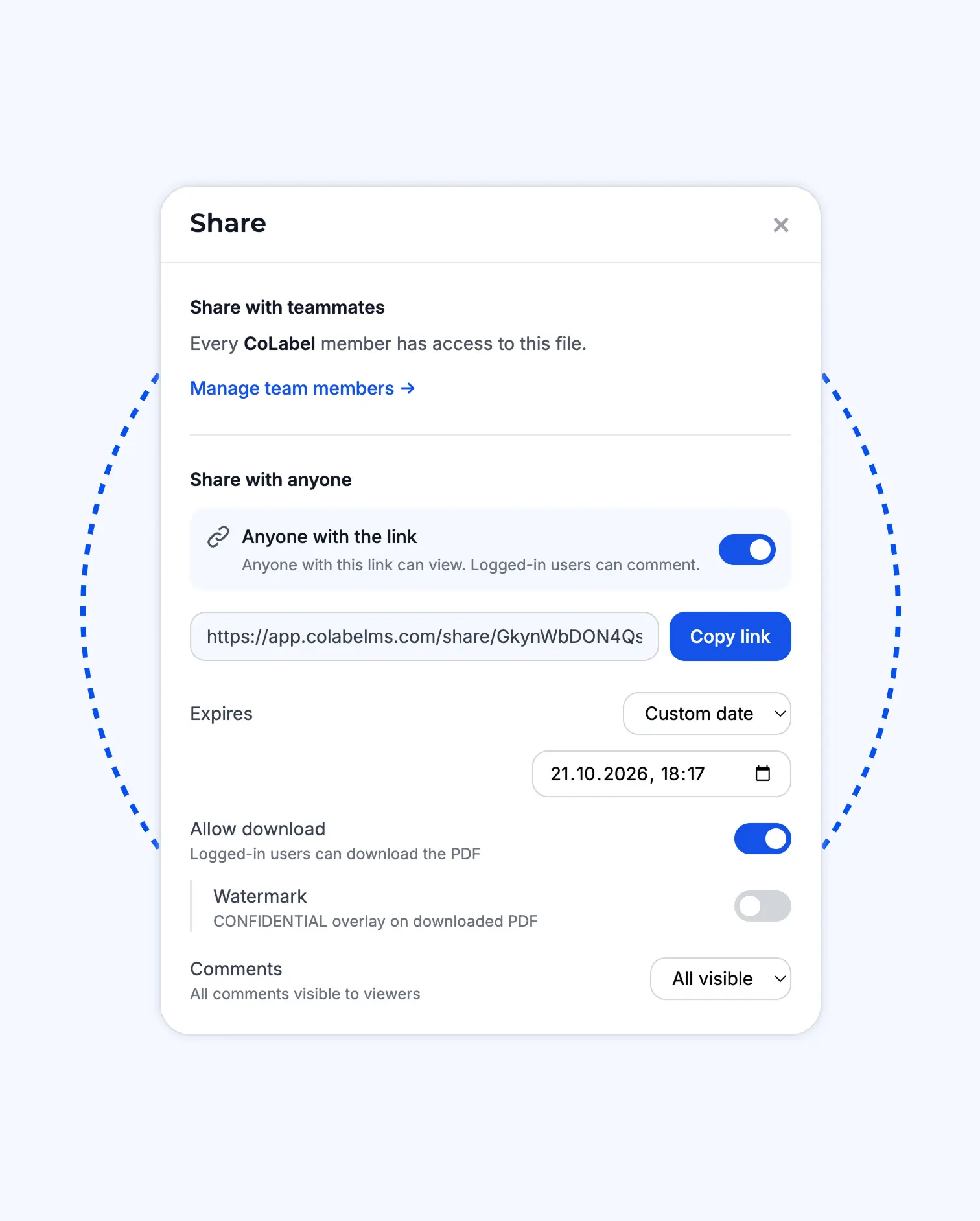
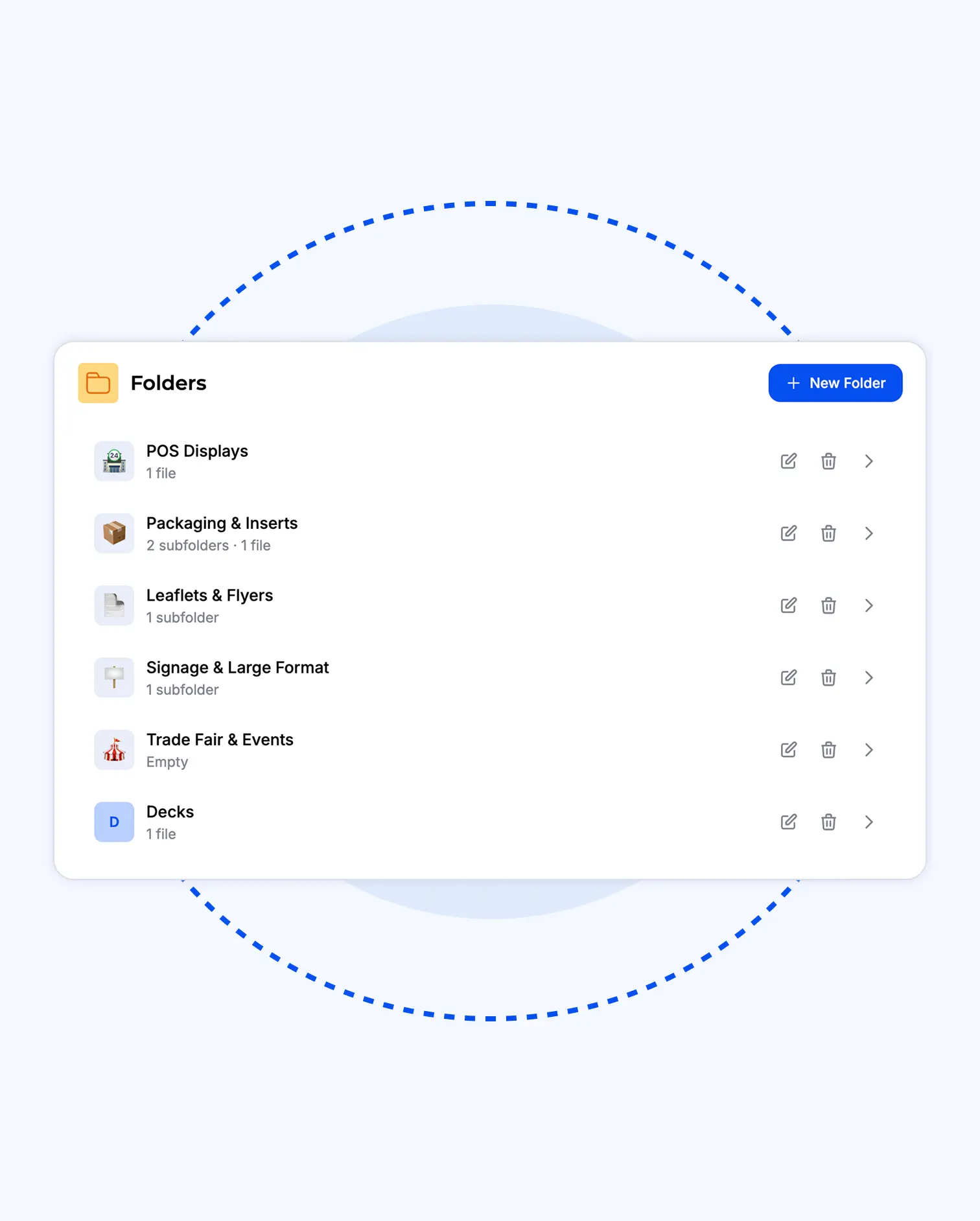
Drop a file in without choosing a folder; sort it later or never. Custom icons — a wobbler shape, a retailer’s logo, a seasonal mark.
Each file has its address. Upload a new version, the old ones stay. Any two compared, every change named.
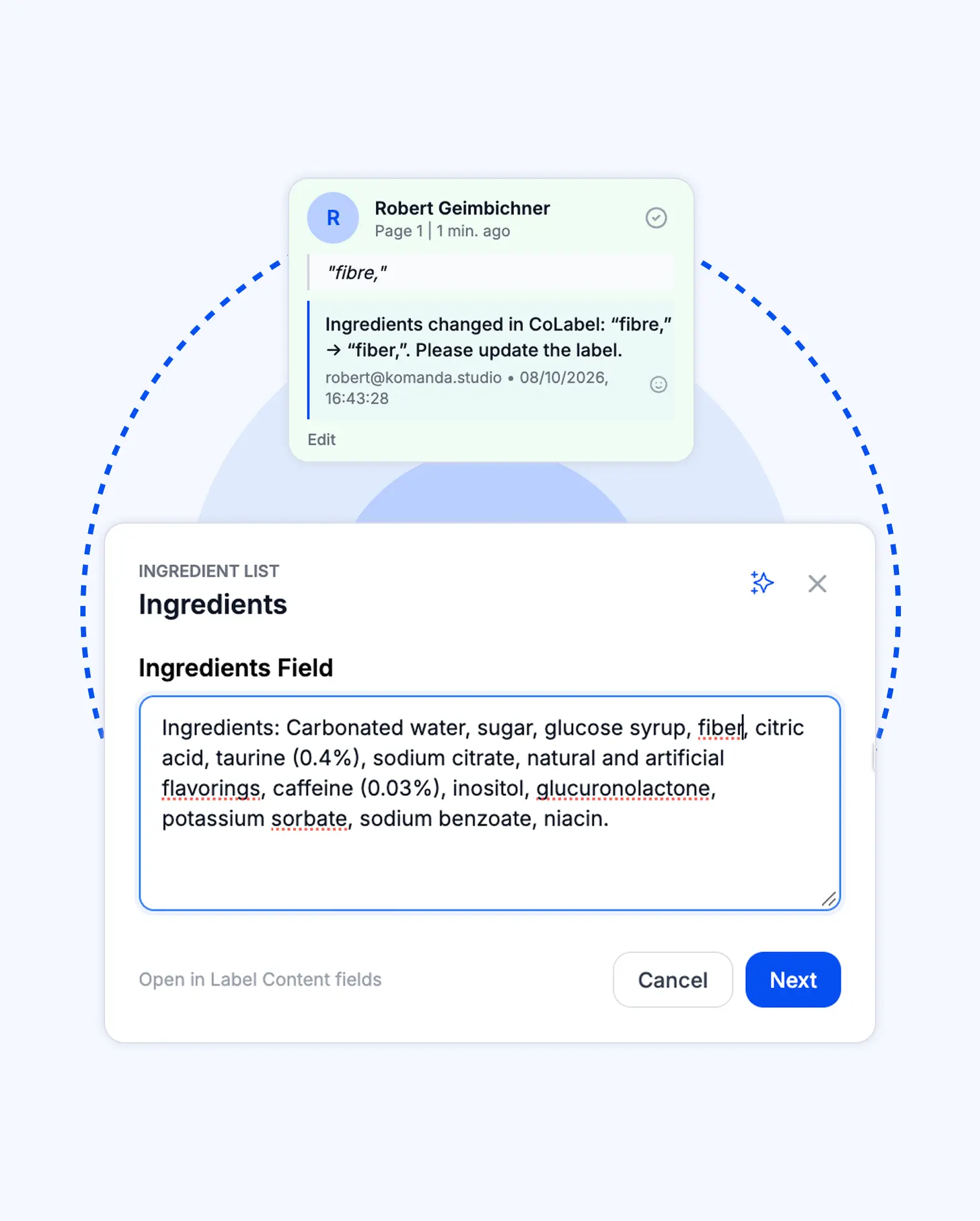
Highlight the words, type the fix. Whoever holds the design file is notified; the change is tracked. No fields, no setup.
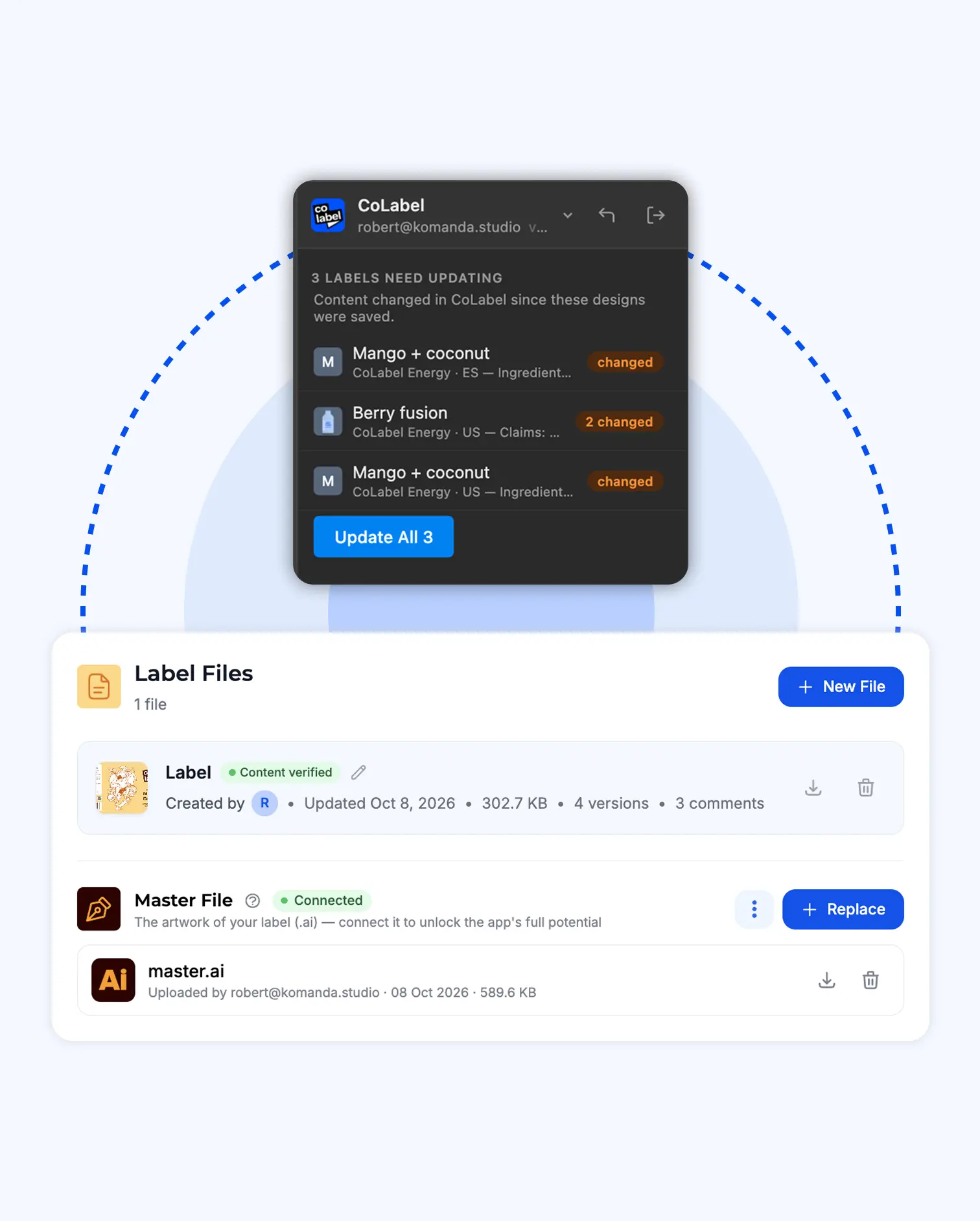
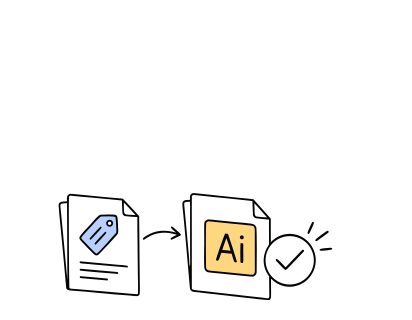
Save the Illustrator file once. Fonts captured. Update from the panel, save a new version, notify the team.
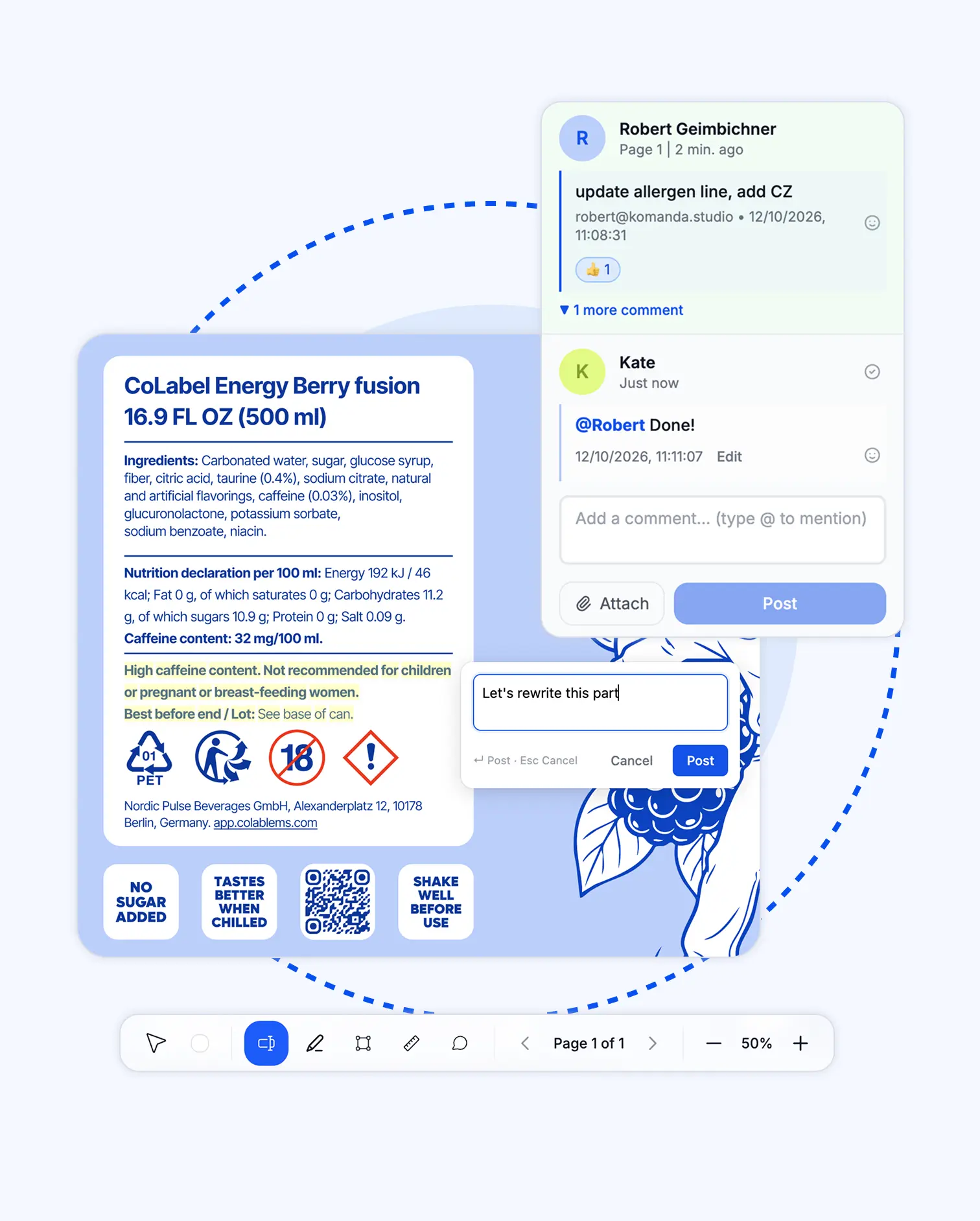
Comments on the words, @mentions, approval tracked on the version.
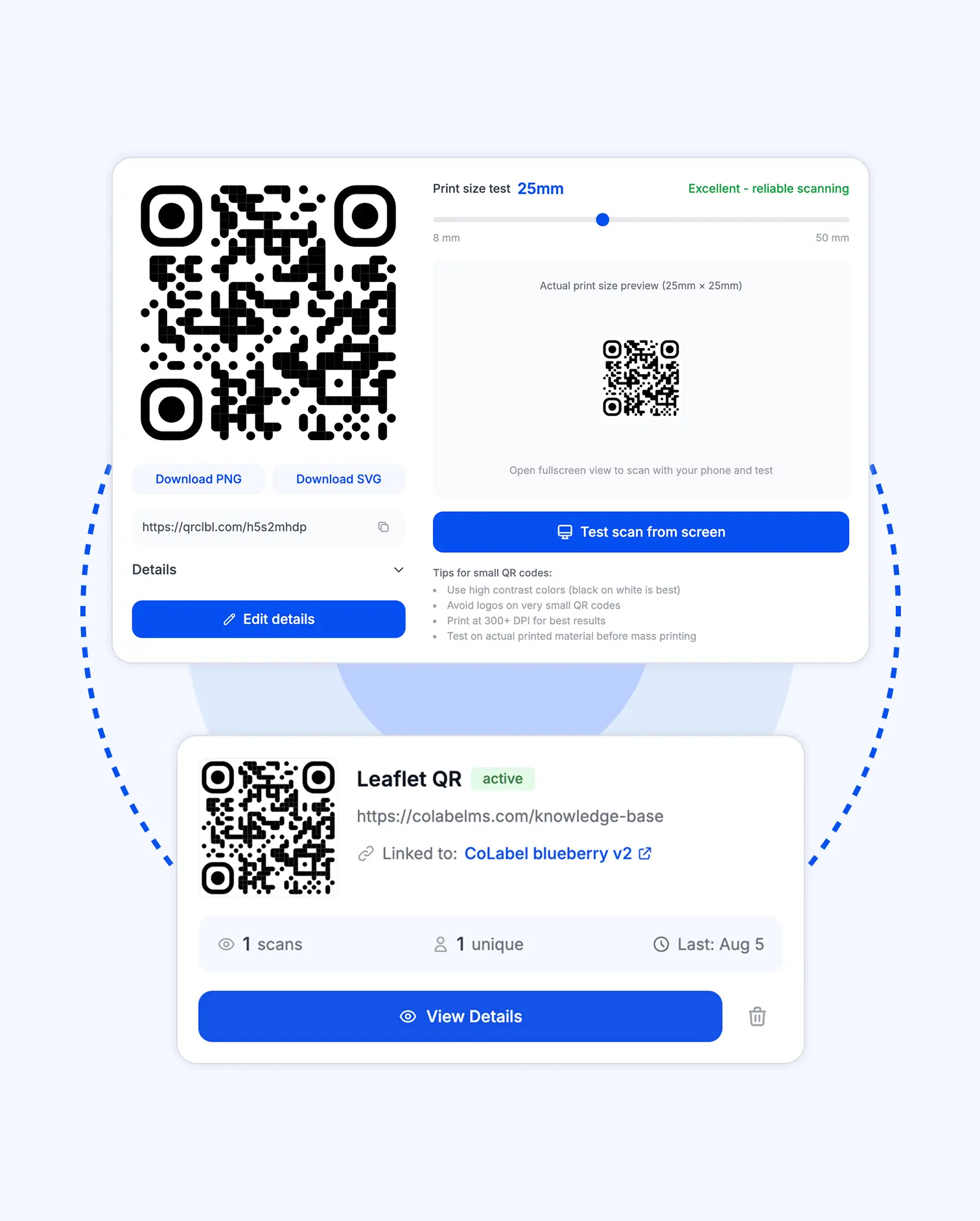
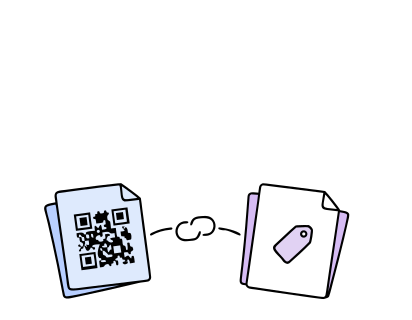
One tracked code on the leaflet, the shelf talker and the pack. Scans counted as one campaign.
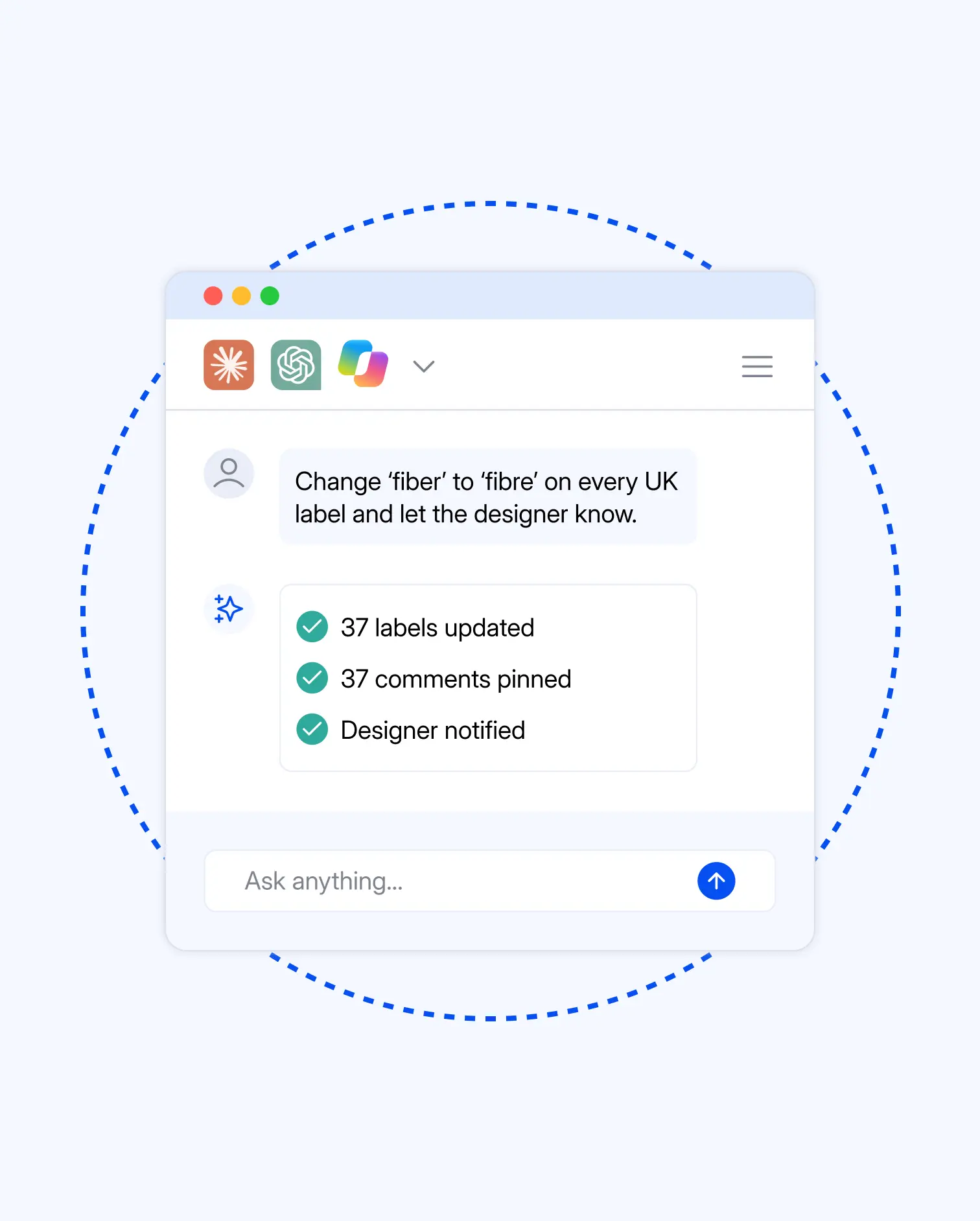
“What does the Croatian leaflet say about dosage?” Same MCP access as labels.
The promo price on the shelf talker changed.
Old way
- Which file went to print? Search the desktop, the email, the printer’s inbox.
- Email the designer the new price. Attach what you hope is the latest PDF.
- Designer opens their version, edits, exports, sends back.
- Forward to the retailer. Retailer replies with a screenshot: “also the date”.
- Back to step 2.
Three days. Four emails. Two versions in circulation.
 Three days. Four emails. Two versions in circulation.
New way
- Open the link. The live version is the one that printed.
- Highlight the price on the PDF. Type the new one.
- Whoever has the design file updates from the panel. New version saved.
- Retailer opens the same link, comments “also the date” on the words.
- Fix it the same way.
One afternoon. One link. One version.
 One afternoon. One link. One version.
Trusted by teams who print.


'%3e%3cpath%20id='Vector'%20d='M0%2014.3886H6.73782V40.9652C6.73782%2041.9132%207.47898%2042.658%208.42228%2042.658C9.36557%2042.658%2010.1067%2041.9132%2010.1067%2040.9652V6.94039H2.69513V0.846389H16.8446V40.2881C16.8446%2044.9602%2014.4189%2048.752%208.42228%2048.752C2.42562%2048.752%200%2044.9602%200%2040.2881V14.3886Z'%20fill='black'/%3e%3cpath%20id='Vector_2'%20d='M112.239%200C106.127%200%20103.655%203.85276%20103.655%208.60269V48.3085H110.524V33.8285H113.957V48.3085H120.826V8.60269C120.826%203.85276%20118.353%200%20112.239%200ZM110.524%2027.0574V7.91204C110.524%206.95054%20111.278%206.19218%20112.239%206.19218C113.199%206.19218%20113.957%206.95054%20113.957%207.91204V27.0574H110.524Z'%20fill='black'/%3e%3cpath%20id='Vector_3'%20d='M19.5397%2044.0122V0.846389H26.2775V41.2022C26.2775%2042.1502%2027.0187%2042.895%2027.962%2042.895C28.9053%2042.895%2029.6464%2042.1502%2029.6464%2041.2022V0.846389H36.3842V48.3119H29.6464V43.9784H28.9726V44.0122C28.9726%2046.6529%2027.4903%2048.752%2024.2562%2048.752C21.022%2048.752%2019.5397%2046.6529%2019.5397%2044.0122Z'%20fill='black'/%3e%3cg%20id='Group'%3e%3cpath%20id='Vector_4'%20d='M38.8873%2012.574H45.6252V48.3119H38.8873V12.574Z'%20fill='black'/%3e%3cpath%20id='Vector_5'%20d='M42.2562%207.40421C44.1168%207.40421%2045.6252%205.88844%2045.6252%204.01865C45.6252%202.14886%2044.1168%200.633099%2042.2562%200.633099C40.3956%200.633099%2038.8873%202.14886%2038.8873%204.01865C38.8873%205.88844%2040.3956%207.40421%2042.2562%207.40421Z'%20fill='black'/%3e%3c/g%3e%3cpath%20id='Vector_6'%20d='M159.663%200.846389H143.189V7.16045H148.286V48.3085H154.566V7.16045H159.663V0.846389Z'%20fill='black'/%3e%3cpath%20id='Vector_7'%20d='M58.427%200.846389H65.1648V29.1158H58.427V7.65135C58.427%207.10967%2058.1575%206.56798%2057.7532%206.29713C57.4837%206.094%2057.1468%205.95858%2056.7426%205.95858C55.7993%205.95858%2055.0581%206.7034%2055.0581%207.65135V40.9652C55.0581%2041.9132%2055.7993%2042.658%2056.7426%2042.658C57.6859%2042.658%2058.427%2041.9132%2058.427%2040.9652V33.517H65.1648V40.2881C65.1648%2044.9602%2062.7392%2048.752%2056.7426%2048.752C50.7459%2048.752%2048.3203%2044.9602%2048.3203%2040.2881V4.73978C48.3203%202.09904%2049.7352%200%2053.0368%200C56.3383%200%2057.7532%202.09904%2057.7532%204.8752H58.427V0.846389Z'%20fill='black'/%3e%3cpath%20id='Vector_8'%20d='M140.164%200.846389V26.5326H133.409V7.63443C133.409%207.09274%20133.139%206.55105%20132.735%206.2802C132.466%206.07707%20132.125%205.94165%20131.721%205.94165C130.774%205.94165%20130.033%206.68647%20130.033%207.63443V21.996C130.033%2026.9422%20140.908%2031.5466%20140.908%2040.4878C140.908%2044.8247%20138.341%2048.752%20132.058%2048.752C125.775%2048.752%20123.275%2044.8214%20123.275%2039.9462V33.5102H130.03V40.6233C130.03%2041.7744%20130.909%2042.6546%20132.058%2042.6546C133.207%2042.6546%20134.083%2041.7744%20134.083%2040.6233C134.083%2032.6977%20123.275%2031.0049%20123.275%2021.996V4.74316C123.275%202.09904%20124.693%200%20128.005%200C131.317%200%20132.735%202.09904%20132.735%204.87858H133.409V0.846389H140.164Z'%20fill='black'/%3e%3cpath%20id='Vector_9'%20d='M101.178%200.846389V24.3151H94.4407V7.65135C94.4407%207.10967%2094.1712%206.56798%2093.7669%206.29713C93.4974%206.094%2093.1605%205.95858%2092.7562%205.95858C91.8129%205.95858%2091.0718%206.7034%2091.0718%207.65135V27.0574H94.3362V33.8285H91.0718V48.3085H84.3339V4.73978C84.3339%202.09904%2085.7489%200%2089.0504%200C92.3519%200%2093.7669%202.09904%2093.7669%204.8752H94.4407V0.846389H101.178Z'%20fill='black'/%3e%3cpath%20id='Vector_10'%20d='M74.2272%207.40082V27.0574H78.5327V33.8285H74.2272V42.8273H81.6388V48.3085H67.4894V0.846389H81.6388V7.40082H74.2272Z'%20fill='black'/%3e%3c/g%3e%3cdefs%3e%3cclipPath%20id='clip0_0_38'%3e%3crect%20width='159.663'%20height='48.752'%20fill='white'/%3e%3c/clipPath%3e%3c/defs%3e%3c/svg%3e)




“Migrating to CoLabel was surprisingly easy. We shared a Google Drive link and had a fully set-up account two days later. Along the way, CoLabel caught inconsistencies in our designs and labels we’d never spotted. Everything looks great so far, and we’re eager to use it more.”
 — DanielCEO, Frank
“We’re moving more of our marketing work to AI, and CoLabel is the first tool that lets an agent actually work with our print files. I ask it to change a line across every juice label and tell the designer — it’s done, with the same versions and approvals as if I’d clicked it myself.”
 — DavidCEO, Juicefast
“I’ve worked on label development projects for more than 15 years, and CoLabel is the first tool I’ve found that truly bridges the gap between designers and clients. It makes reviewing, commenting, and approving labels easy and efficient, and I’m really satisfied with it.”
 — ThuyBrand Manager, Thor
Printed materials sit next to what they sell.

Frequently asked questions
Yes. Printed materials, sharing, versions, comments — on every plan, including Free. Storage counts toward your plan. Compare plans
Anything printed that isn’t the label: leaflets, wobblers, shelf talkers, inserts, decks, posters.
Yes, via a share link, no account. Their name is on the comment.
No. Only product labels count toward your plan.
You edit it on the PDF. Applying it to the design needs Illustrator and the extension — you, your designer, anyone with the file.
Every PDF you print. One link. Free.
Upload it, share it, version it, fix it. On every plan, forever.
- Encrypted, backed up daily
- Your files stay in the EU
- No credit card needed
- GDPR compliant
 Encrypted, backed up daily
 Your files stay in the EU
 No credit card needed
 GDPR compliant